In short: Brand DNA → Logos → Upload. Add every version you have, then open Usage Guidelines and pick how large your logo should read.
Layouts need choices. A wide logo does not fit where a square icon does. A full-colour logo does not work on a dark photo. Upload every version you own, and Protaigé picks the right one for each layout.
Upload your versions
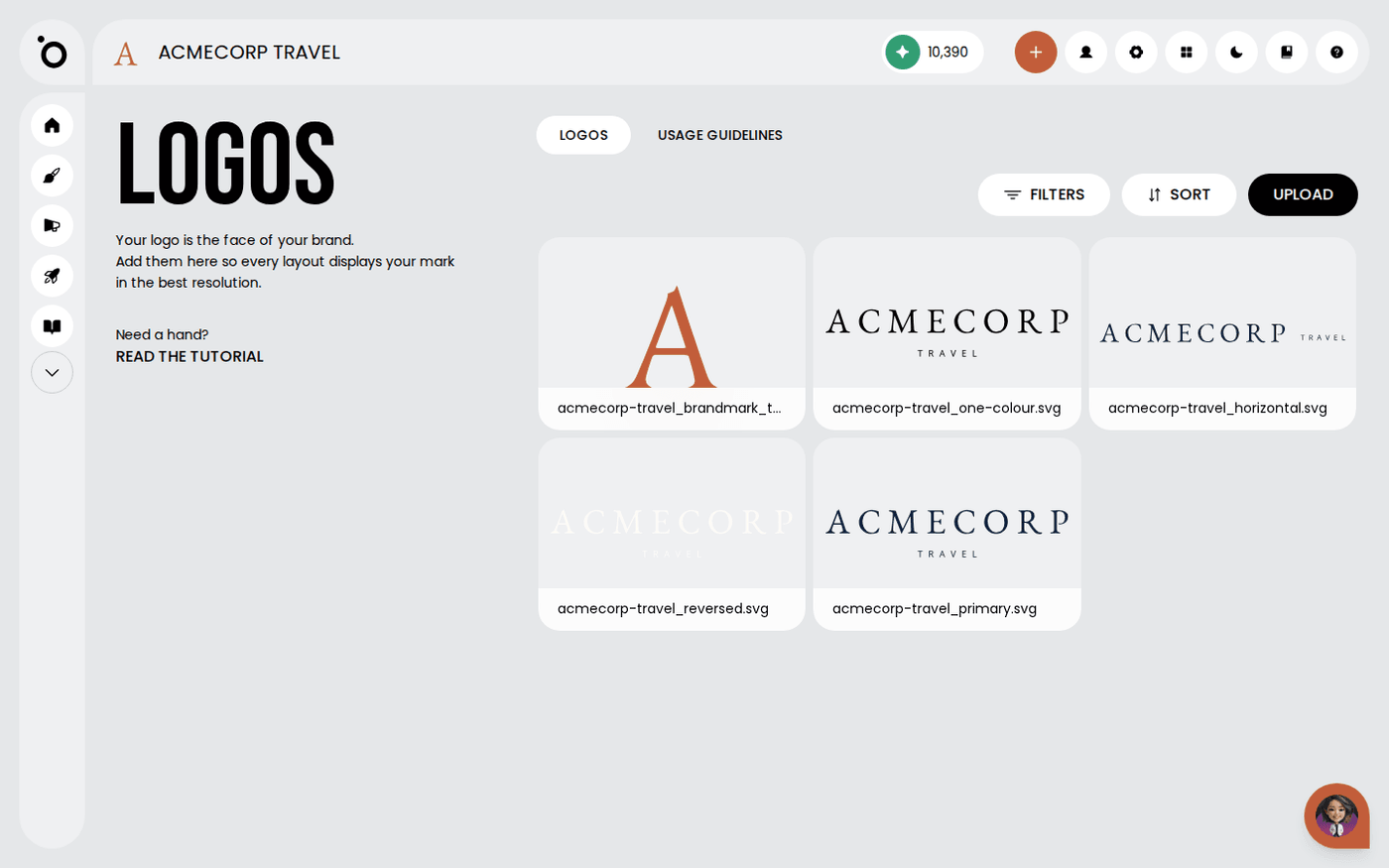
Open Brand DNA, then Logos. Press Upload and add each version: wide, stacked, icon only, and any reversed or single-colour versions. JPG, PNG, WebP, GIF and SVG all work, up to 10MB each. The more versions you give, the fewer compromises Protaigé makes.
Say how large your logo should appear
Open the Usage Guidelines tab. Under 'How large should your logo read on artwork?' pick Quiet, Balanced or Prominent. Protaigé uses this as the reference for every format.
Write the usage rules
In the same tab, the sections are Primary Logo, Secondary Logo, Clear Space Requirements, Size Requirements and Incorrect Usage. Click a section to fill it in. You can also press Upload guideline document to add your own file. These rules stop your logo being stretched, recoloured or crowded.
Find things again
Press Filters to narrow the grid, or Sort to change the order. Sub-brands and campaign versions add up faster than you expect.
Protaigé uses your logos wherever a layout calls for one. You do not need to select a logo for each campaign.