

How to mark up to eight brand photos as Style References so the AI Art Director generates images in your visual style.
Protaigé's AI Art Director can match your brand's photographic style when it generates images, but only if you show it what that style looks like. Style References are how you do that. You pick a small set of photos from your brand media that capture your visual identity, and the AI Art Director treats them as anchors: the mood, the colour, the composition, the feel. Get them right and the images it generates land closer to on-brand, first time.
Marking a Style Reference
You build your set from your brand photos, one at a time.
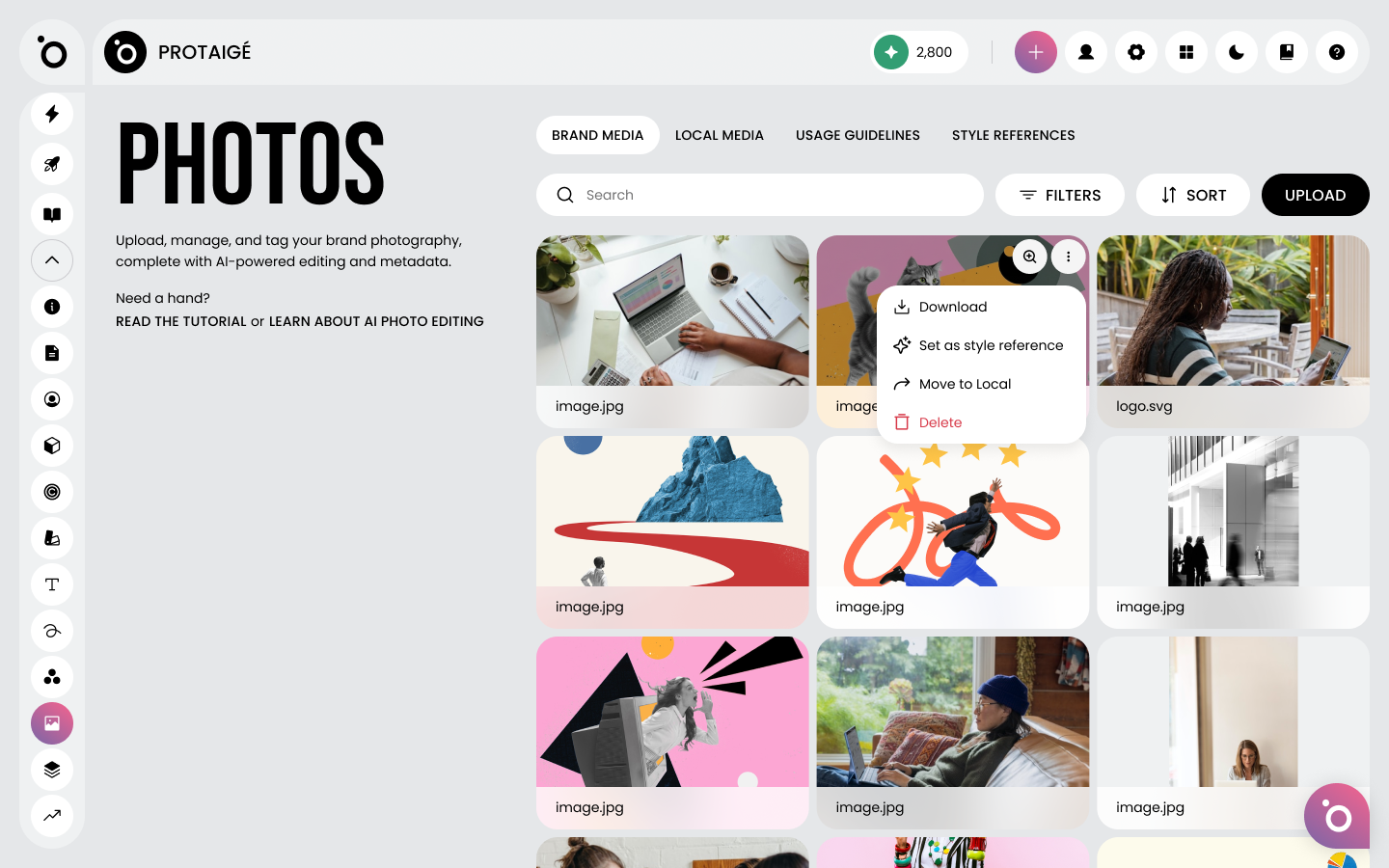
🖼️ Find a photo in Brand DNA, Photos that represents your style.
⭐ Open the three-dots menu on its card and choose Set as style reference.
The photo picks up a star to show it's in your set. You can mark up to eight, which is enough to show your range without muddying the signal.
Reviewing your set
Your chosen photos gather under the Style References tab, so you can see the whole set in one place and check it still feels right. Before you've marked anything, the tab just nudges you towards Brand Media to get started.
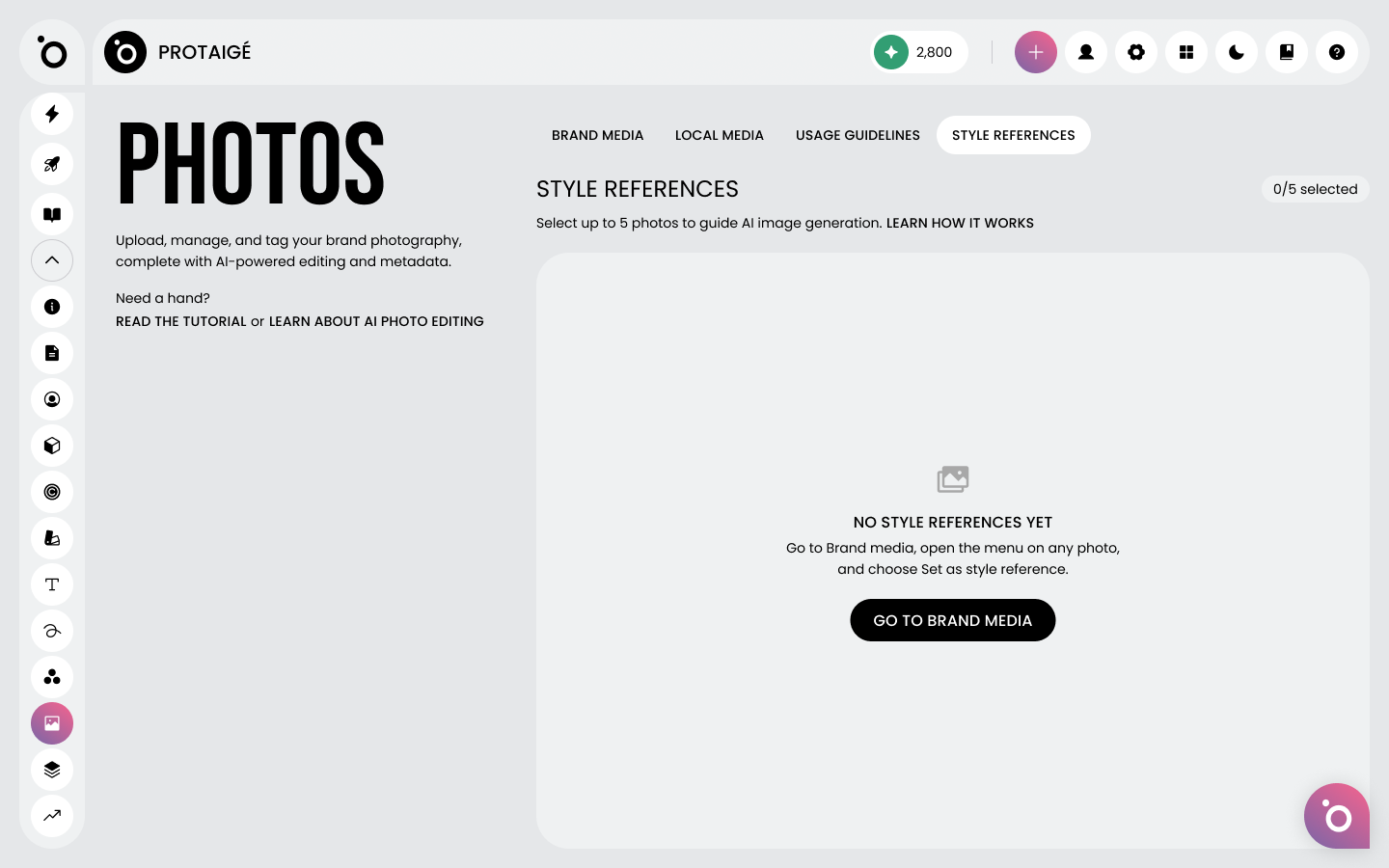
Once you've added a few, they sit together as your visual shortlist.

What makes a good set
The references work by style, not subject. Protaigé borrows the look and feel, not the contents, so choose your photos for how they feel rather than what's in them.
✅ Choose varied images. Different colours, moods and layouts, so the AI sees the full range of your style.
✅ Pick your brand at its best. The photos you'd happily point at and say "that's us".
🚫 Don't stack up near-duplicates. A run of similar photos just costs you creative range.
🚫 Don't pick by subject. It's the style that transfers, not the contents, so a set of all-the-same-thing won't teach the AI anything new.
What happens next
Once your set is marked, there's nothing else to do. From then on, whenever the AI Art Director generates images, whether that's hero visuals for a campaign or anything else you create, it leans on your Style References to keep the output looking like you. Change your mind later and you can swap photos out the same way you added them, through the three-dots menu.