Subscription tiers and how to manage your plan
TL;DR:
Go to Settings → Subscription → Change Plan → Checkout securely in Stripe → Upgrades unlock instantly
Your subscription plan determines how many campaigns you can run, how many users you can invite, and how much creative firepower you have inside Protaigé.
Whether you’re just starting out or scaling your marketing engine, it’s easy to review your current plan, upgrade to unlock more, or cancel if your needs change. Managing your subscription will walk you through how to do this.
If you’d like to permanently delete your account, you’ll need to contact us at hello@protaige.com
The Plans
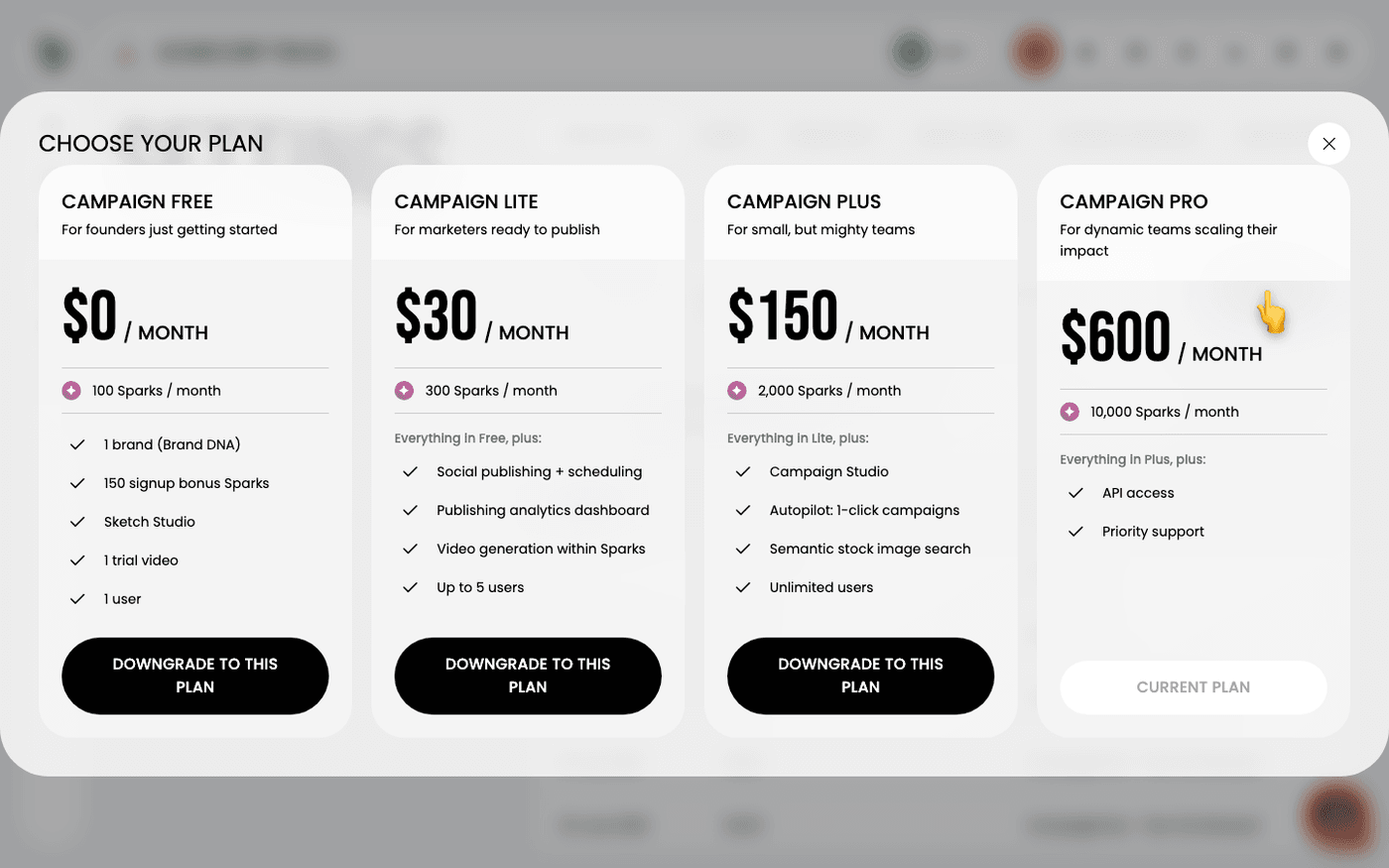
Lite – $0/month
For teams just getting started.
- 1 brand
- 2 starter campaigns on signup (per brand)
- 1 campaign per month
- Up to 2 users
- No rollover for unused campaigns
Best for trying out Protaigé before committing.
Plus – $49/month (75% off Beta discount, normally $200)
For small but mighty teams.
- 1 brand
- 2 starter campaigns on signup (per brand)
- 5 campaigns per month
- Unlimited users
- Rollover for unused campaigns
This is the sweet spot for growing teams
Pro – $240/month (70% off Beta discount, normally $800)
For dynamic teams scaling their impact.
- 1 brand
- Unlimited campaigns per month
- Unlimited users
- Priority support and design setup
Built for businesses ready to run Protaigé as their main marketing engine
About Tokens and Image Caps
Protaigé uses tokens to measure how much creative work your AI agents can do.
- Text tokens cover both input and output — everything from reading your brief to generating copy, concepts, and campaign ideas.
- Image tokens are used when you generate or export visual assets inside Protaigé.
Each plan includes a monthly allowance of both types, and the allowance is very generous. When you reach your cap, you can upgrade your plan or wait for your next billing cycle for tokens to refresh.
💡 Tip: BrandDNA activities that improve your agents — like updating brand story, voice or personas info — don’t use any tokens.
A Handy Table
Plan Name | Beta Price (monthly) | #Brands | #Users | #Campaigns | #Tokens | #Images | Rollover? |
Brand Creation Bonus | N/A | N/A | N/A | 2 | 250,000 | 1500 | No |
CampaignLite | $0 | 1 | 2 | 1/mth | 250,000 | 1200 | No |
CampaignPlus | $49 | 1 | Unlimited | 5/mth | 1,000,000 | 5000 | Yes, Expiry: 1 year |
CampaignPro | $240 | 1 | Unlimited | Unlimited | 3,000,000 | 15,000 | N/A |
Further study:
About Payments with Stripe
All subscription payments are processed securely through Stripe, one of the world’s most trusted payment providers. Stripe handles billing for millions of businesses globally, from start-ups to enterprises.
Your payment details are encrypted and never stored in Protaigé. You can update or cancel your subscription at any time directly through Stripe, with full transparency and control over your billing.
A step-by-step guide

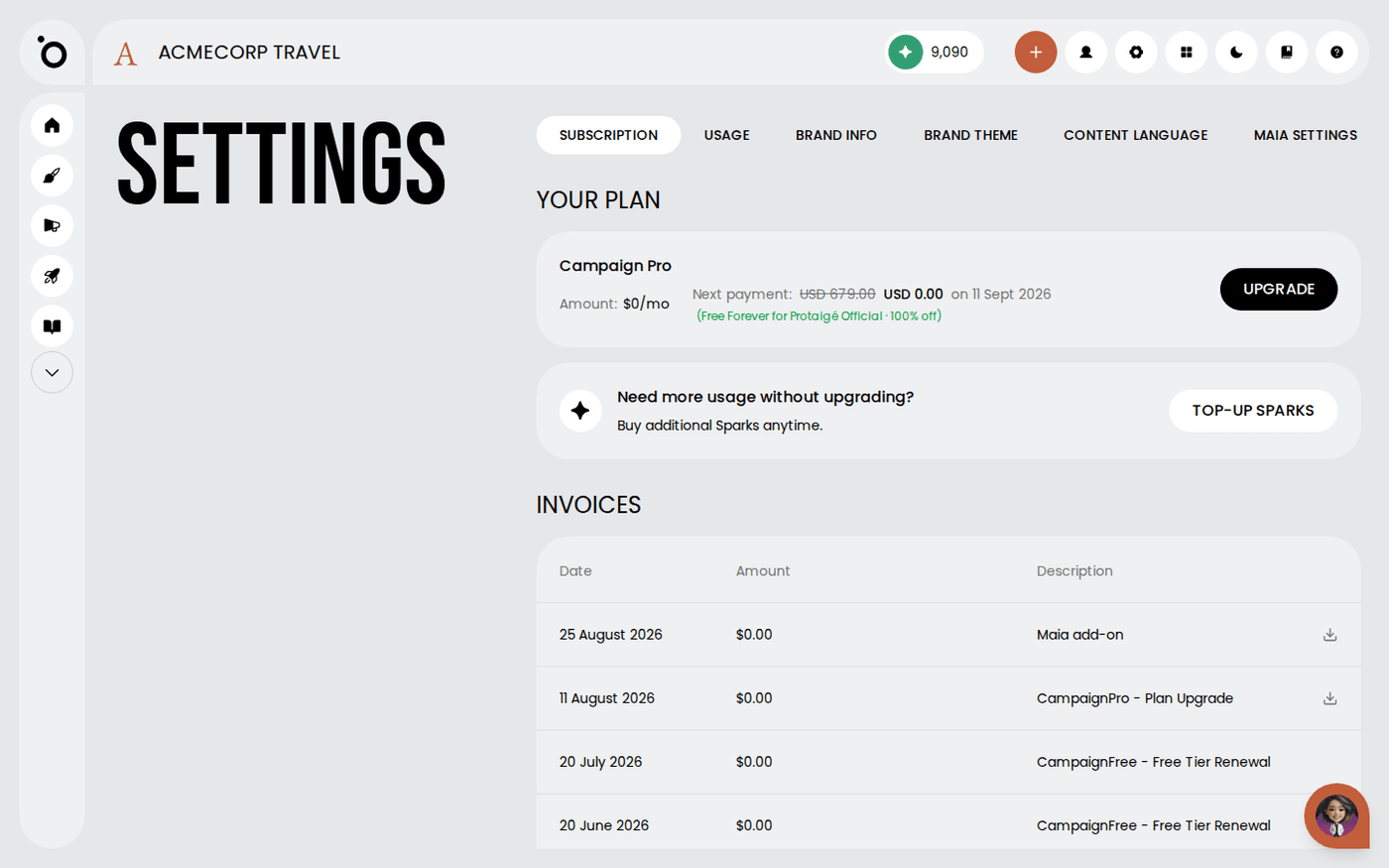
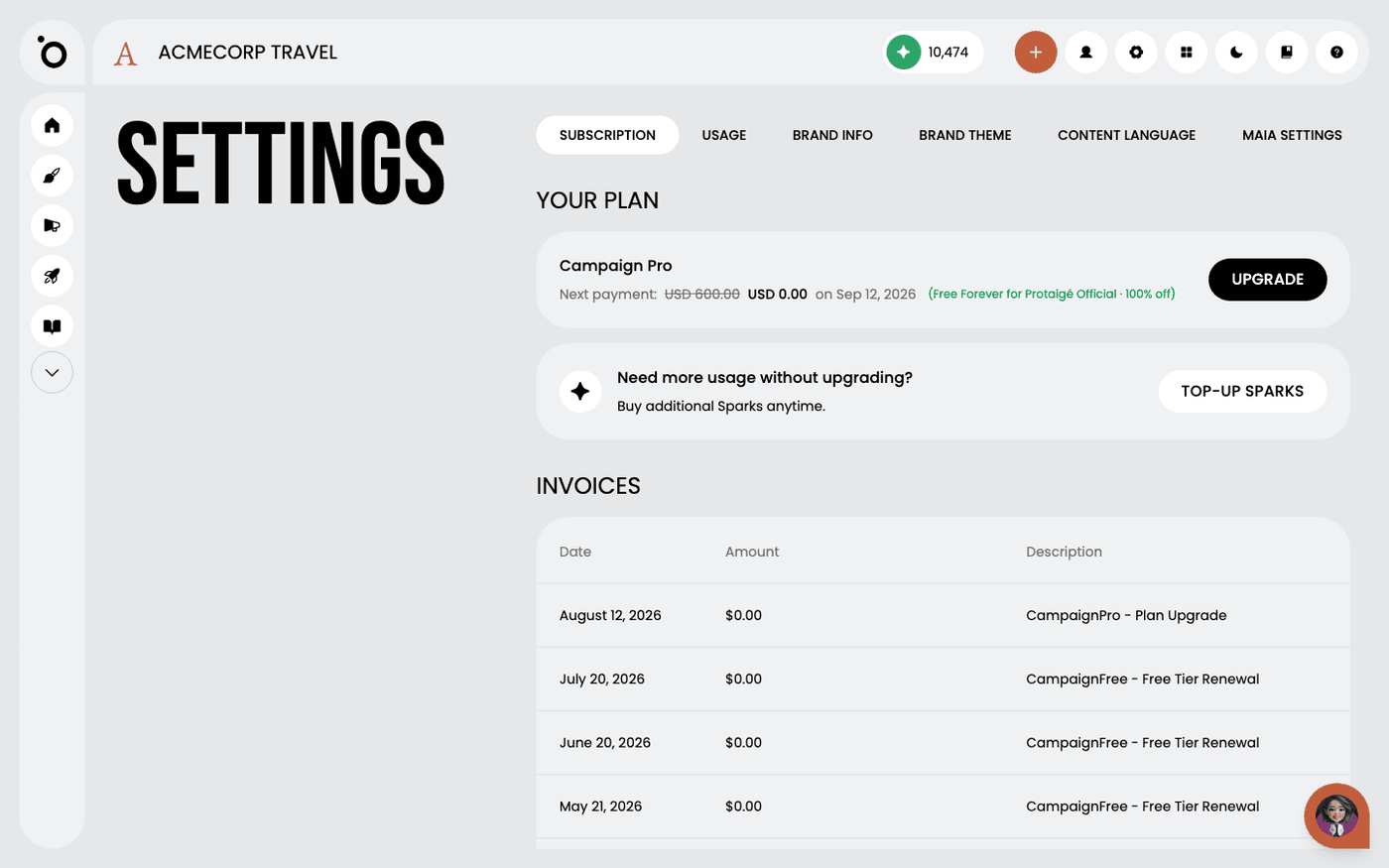
1. Open the settings panel to manage your account

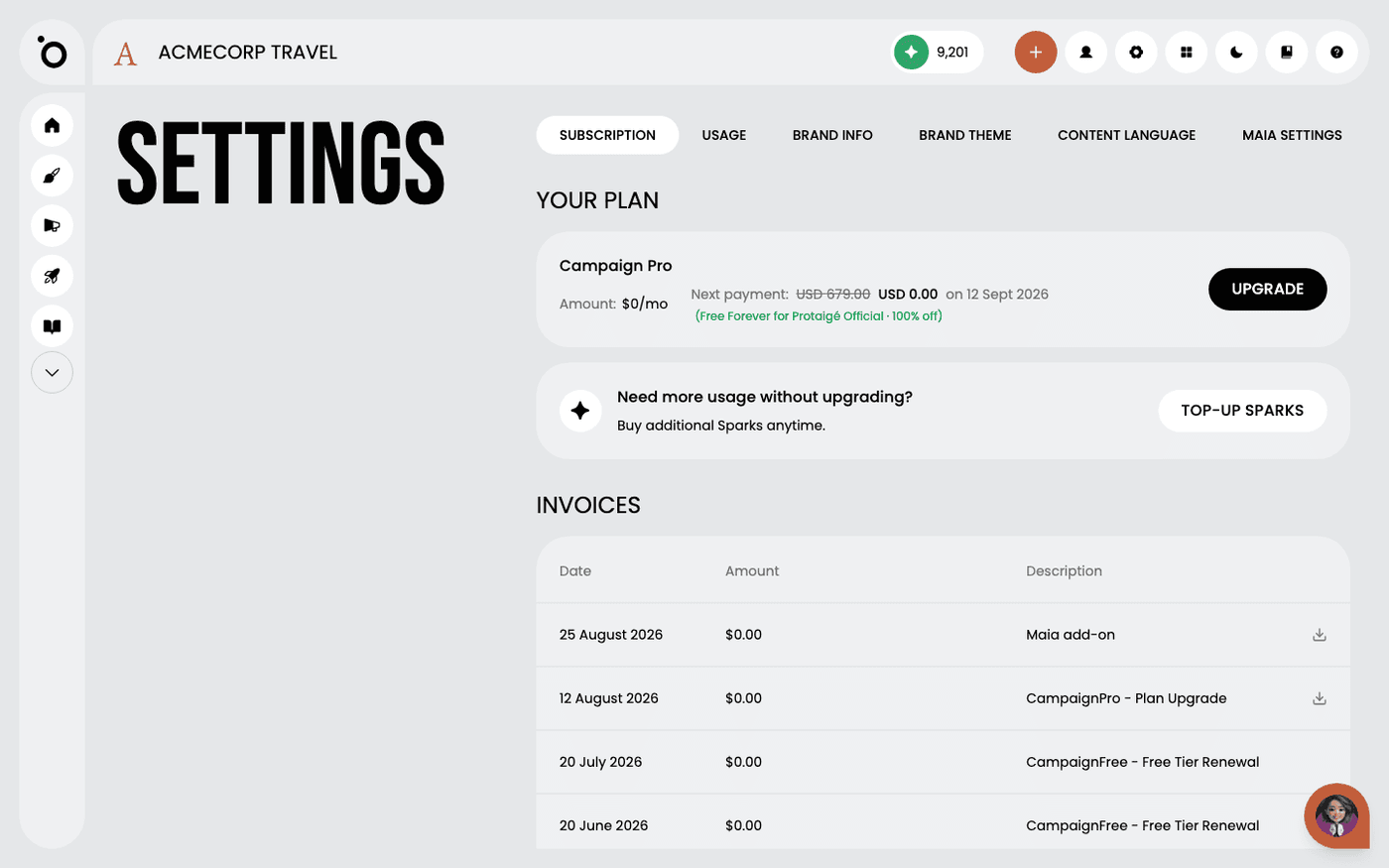
2. Select the SUBSCRIPTION tab to review your current plan and view billing details.

3. Click CHANGE PLAN to explore available subscription upgrades.

4. Explore the available plans and choose the one that best fits your needs.

5. You will be redirected to Stripe, a global leader in secure online payments. Enter your payment details and hit Subscribe to unlock your new plan.

6. Congratulations—your purchase was successful! Your new campaign features have been unlocked and you're ready to create even more high-converting campaigns.

7. Need a record of your payment? Select Manage subscription to access your payment history.

8. Click the download icon to download a PDF invoice.

9. To update your credit card details, select Change Card.