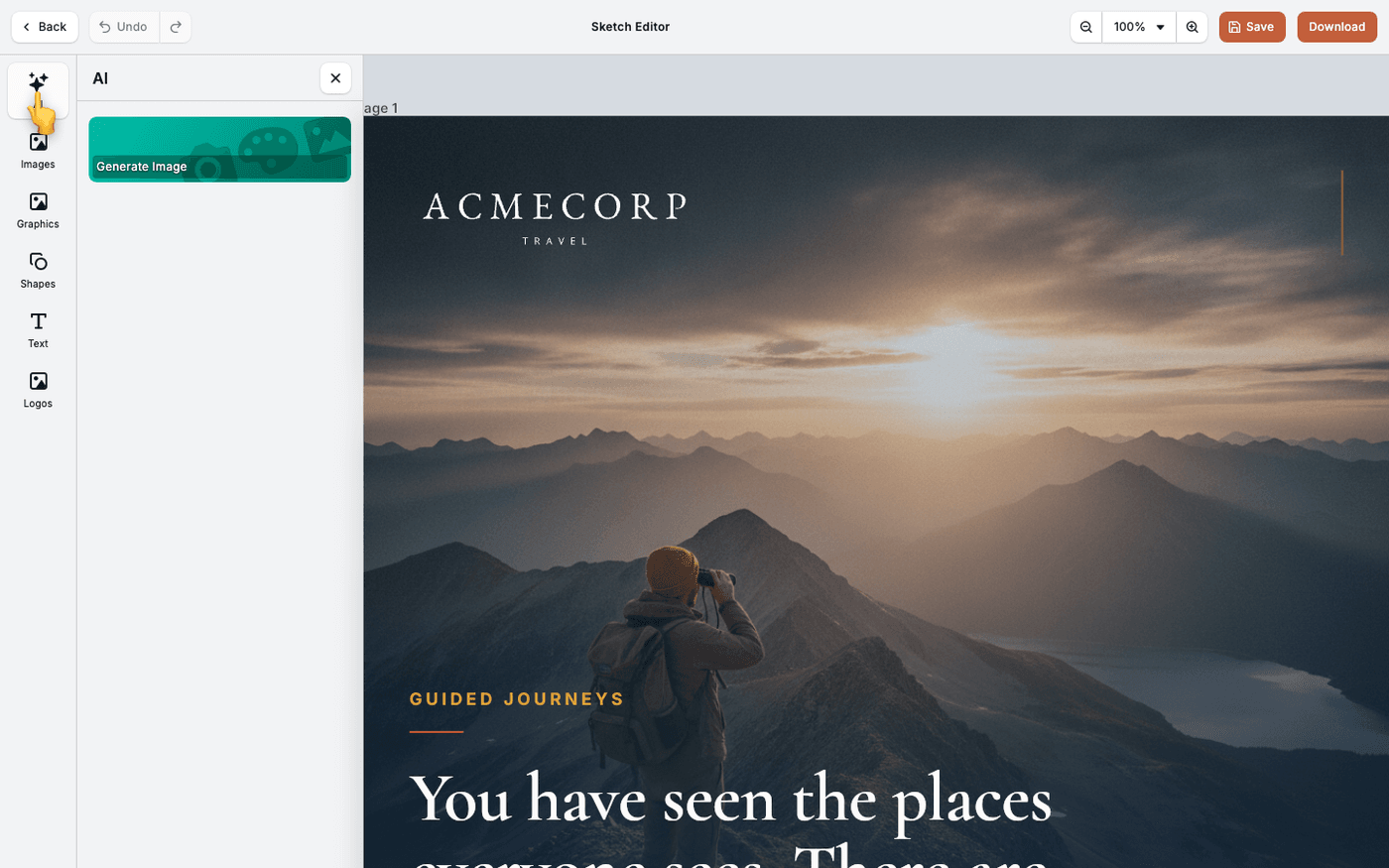
In short: Select text or an image → the AI button on the toolbar above it. Or press AI in the dock → Generate Image for something new.
You do not have to leave the editor to change a headline or swap an image. Select the element, and Protaigé rewrites it or regenerates it in place. The rest of the layout does not move.
The result follows your Brand DNA. Protaigé uses your colours, fonts and style references, so nothing comes back generic.
Select the element
Click a text box or an image on the canvas. A small toolbar appears above it. The AI button is the first one on that toolbar.
Rewrite text
With text selected, press the AI button. Tell Protaigé what you want, for example a shorter headline or a warmer tone. The new text replaces the old text in the same box.
Regenerate an image
With an image selected, press the AI button. Describe the image you want. The new image fills the same frame, at the same size and crop.
Generate something new
To add a new image rather than change one, press AI in the dock. The dock is the column of tools down the left edge. Choose Generate Image and describe it.
Use this to fix one element at a time, not to remake the whole design.
Last updated 14 August 2026