Walk through the form used to start your campaign


TL;DR
Complete basic Brand DNA → Click Build Brief → Fill in details → Click Create to compile complete campaign brief

At Protaigé, every great campaign starts with a great brief, and the Brief Builder makes it effortless.
It’s a guided, form-based tool that pre-fills your known products and personas directly from Brand DNA, so you’re never starting from scratch. Just add context, goals, and core message/s. Once your brief is complete, David, your strategy agent, retrieves detailed information from your Brand DNA documents to generate a complete, comprehensive campaign brief. This expanded brief becomes your strategic foundation—the creative guardrails your AI agents will follow to build campaign concepts, copy, and visuals over the course of the customer journey.
🚨 To get started, make sure your Brand DNA includes your brand story, at least one persona, at least one product, and at least one design kit.
A step-by-step guide
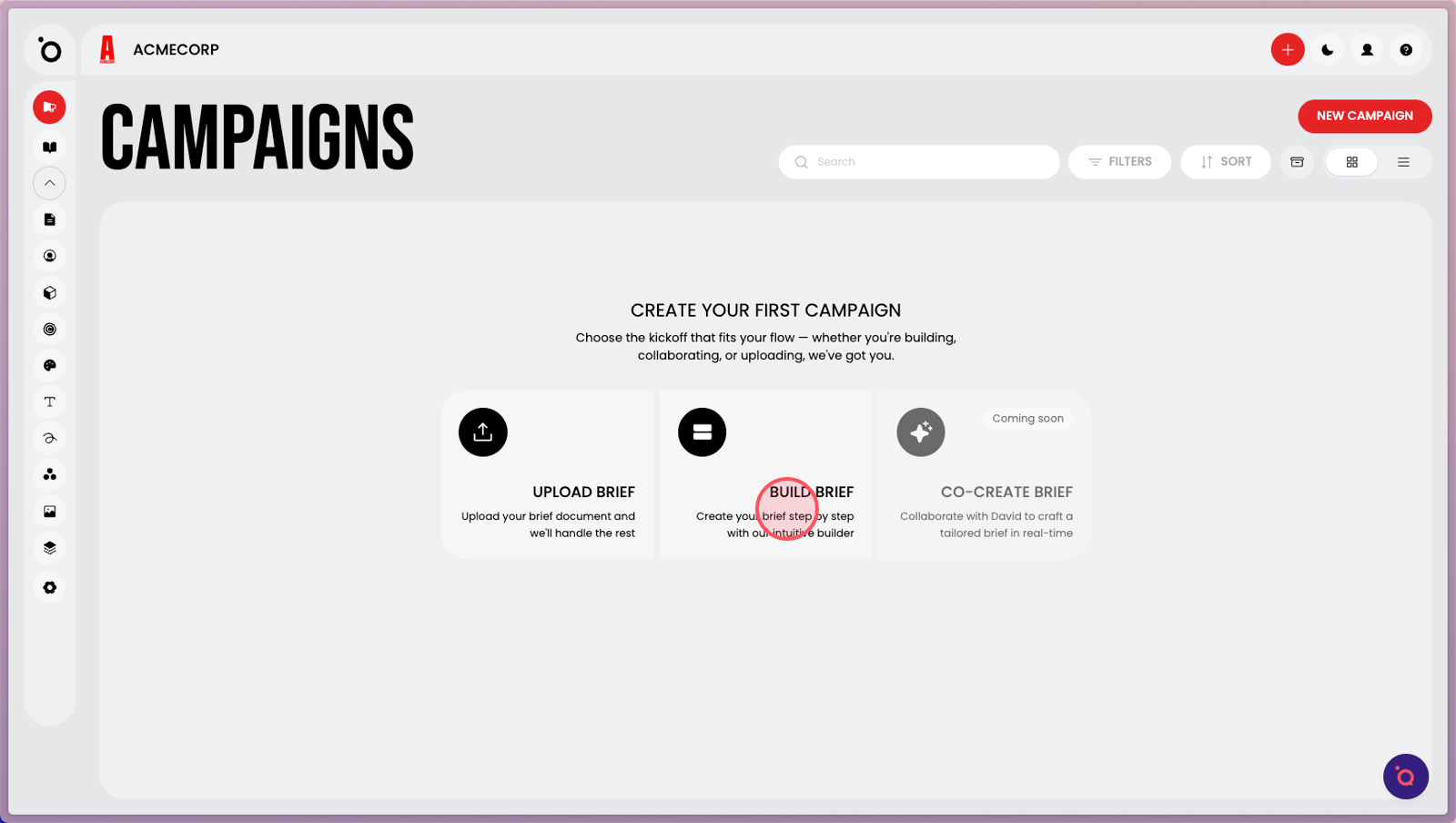
1. Click Build Brief. You will need to have your basic Brand DNA completed before you can generate campaigns.
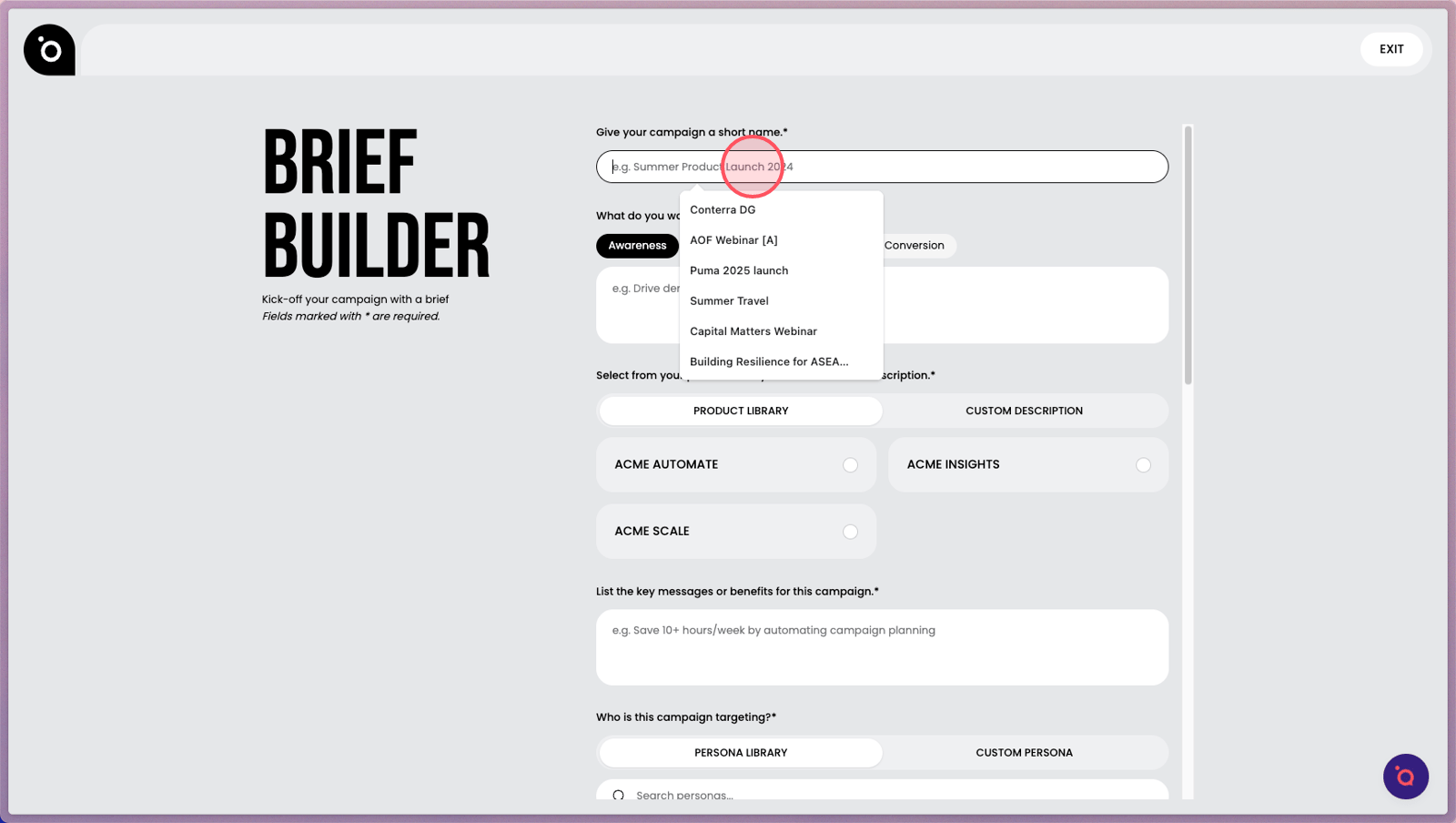
2. Enter a short name for your new campaign to easily identify it later.
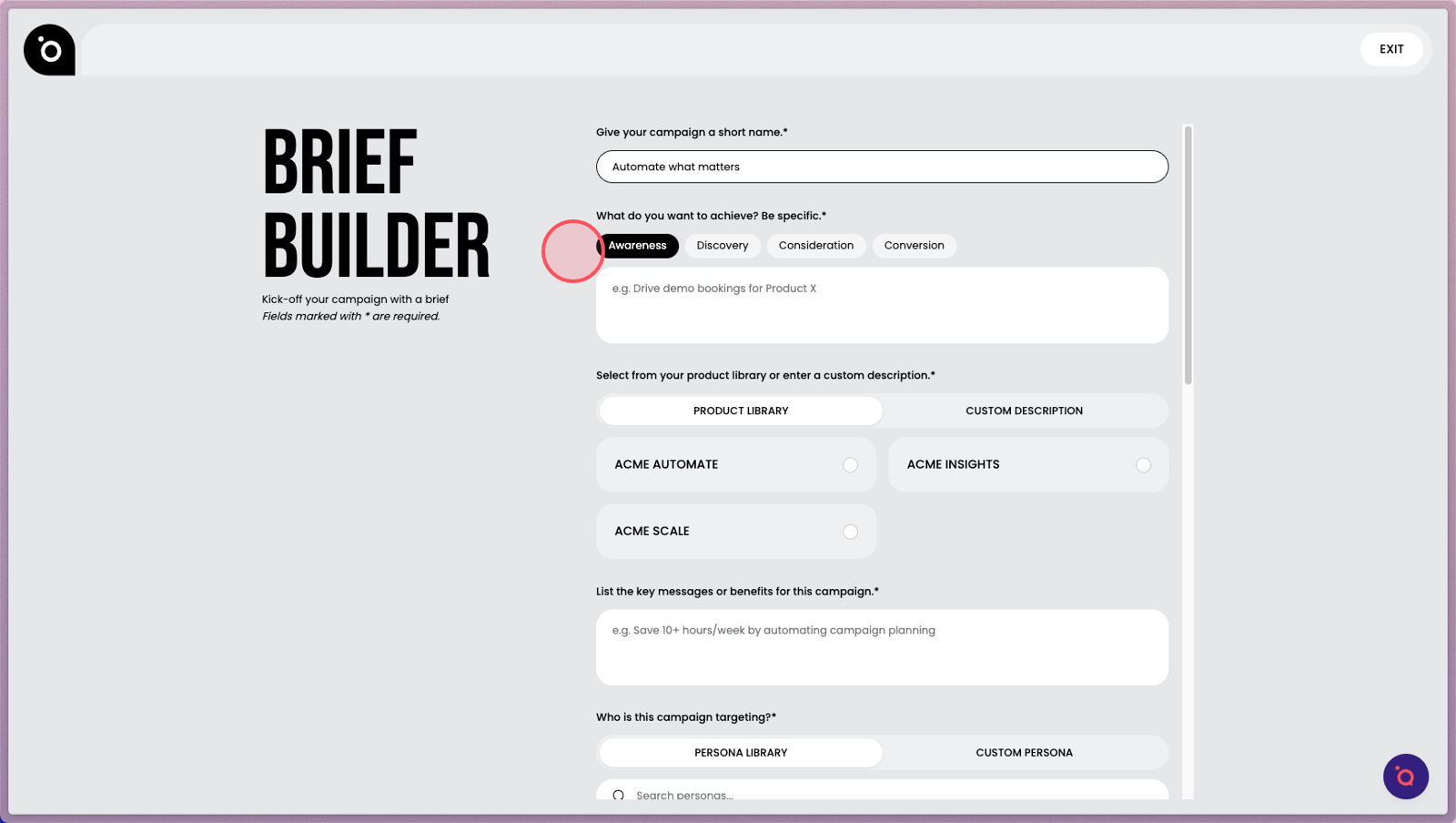
3. Select the main journey stage. Your campaign can span multiple stages.
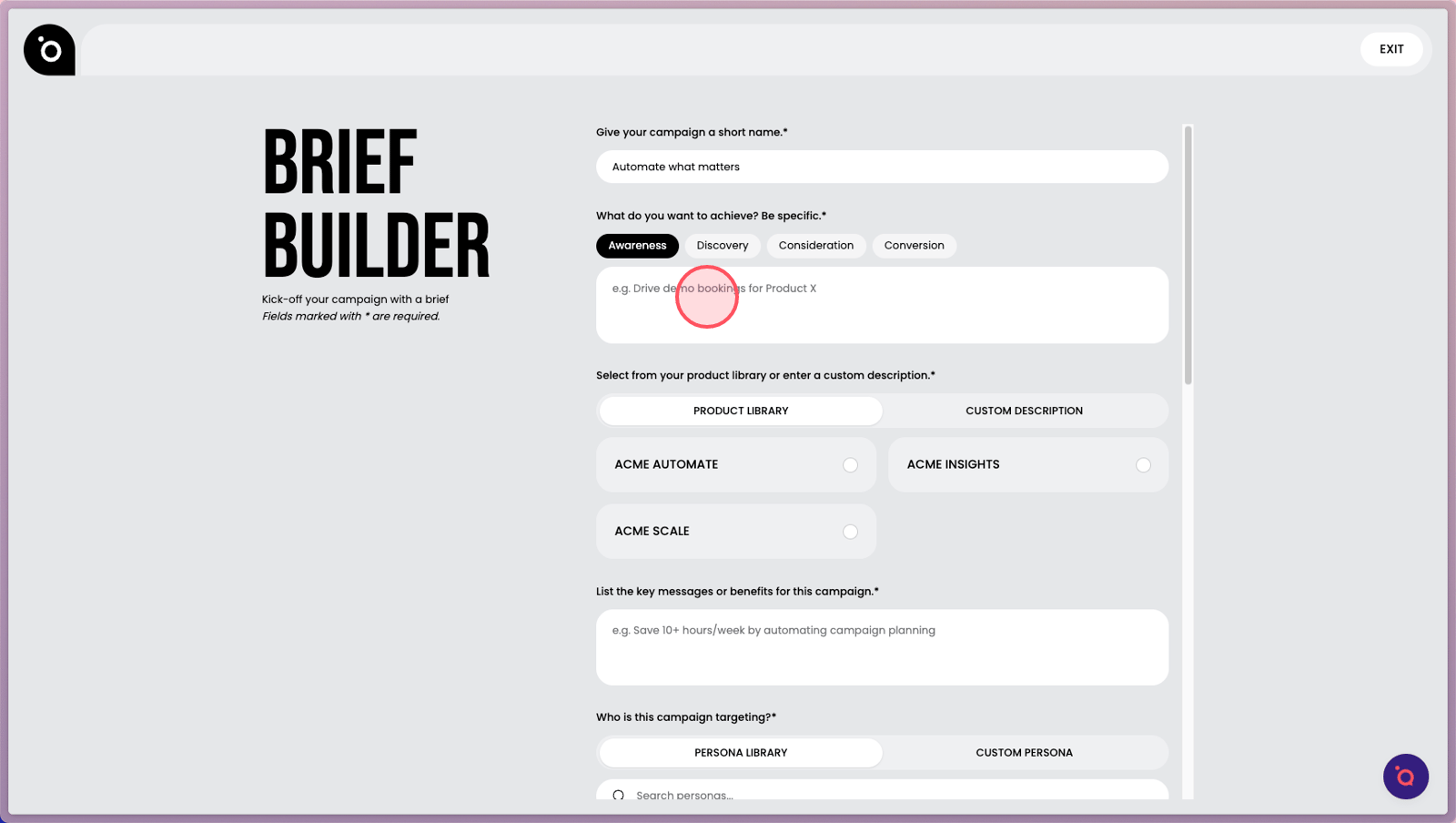
4. Add more detail to give your campaign clear direction.
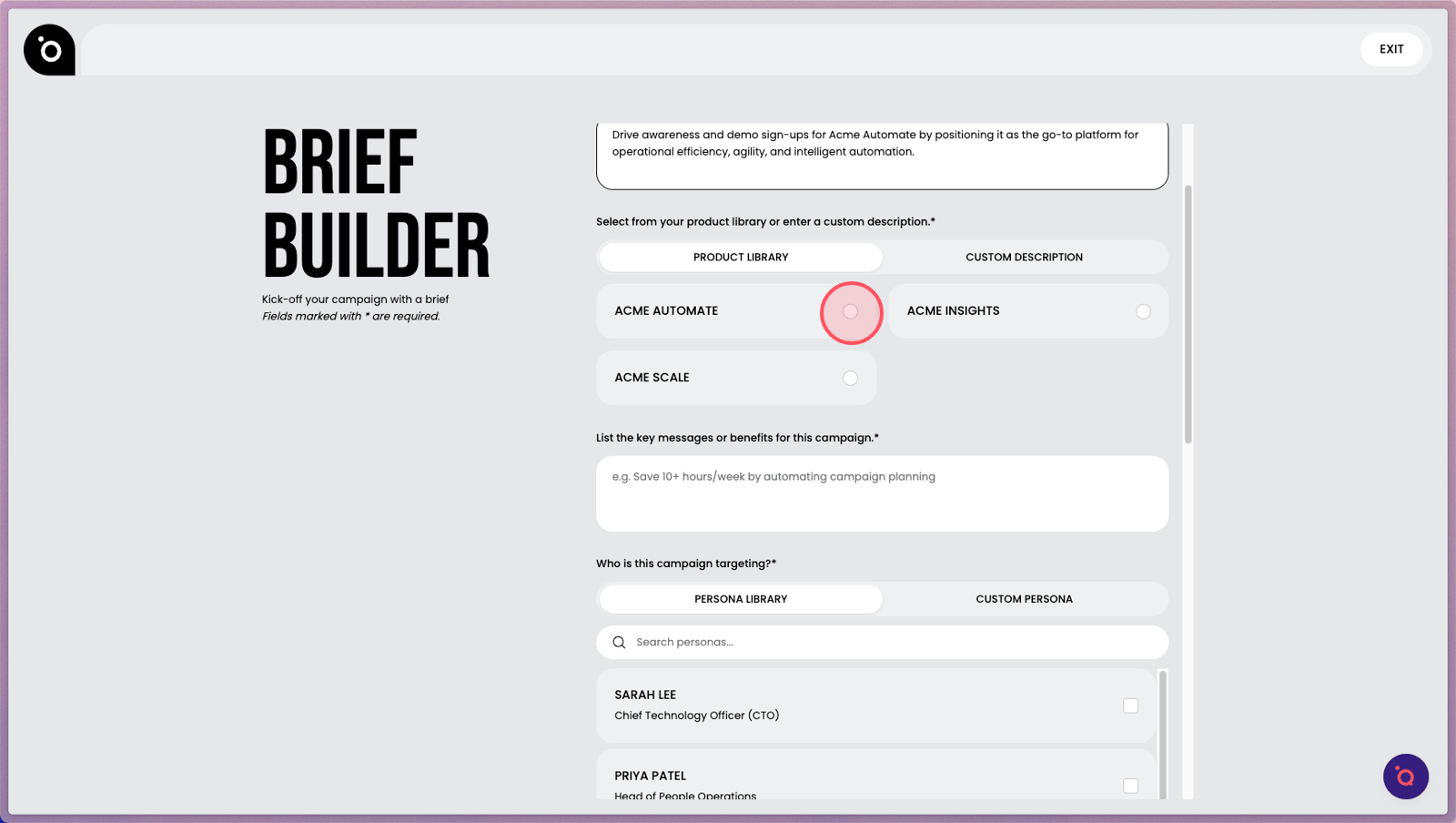
5. Choose the product you wish to showcase from your Brand DNA selections.
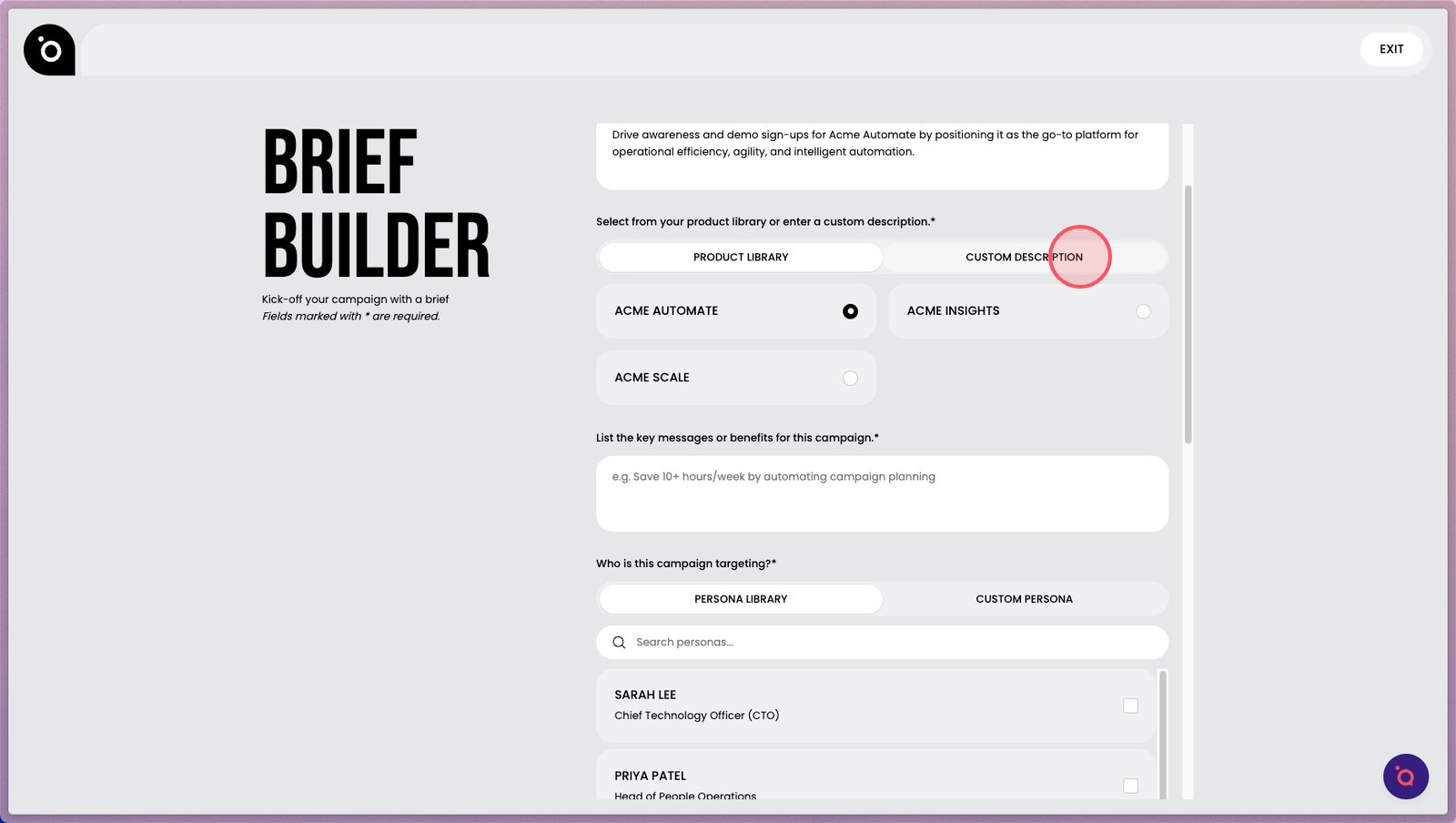
6. Switch to Custom Description if you need to enter a new product not found in your library.
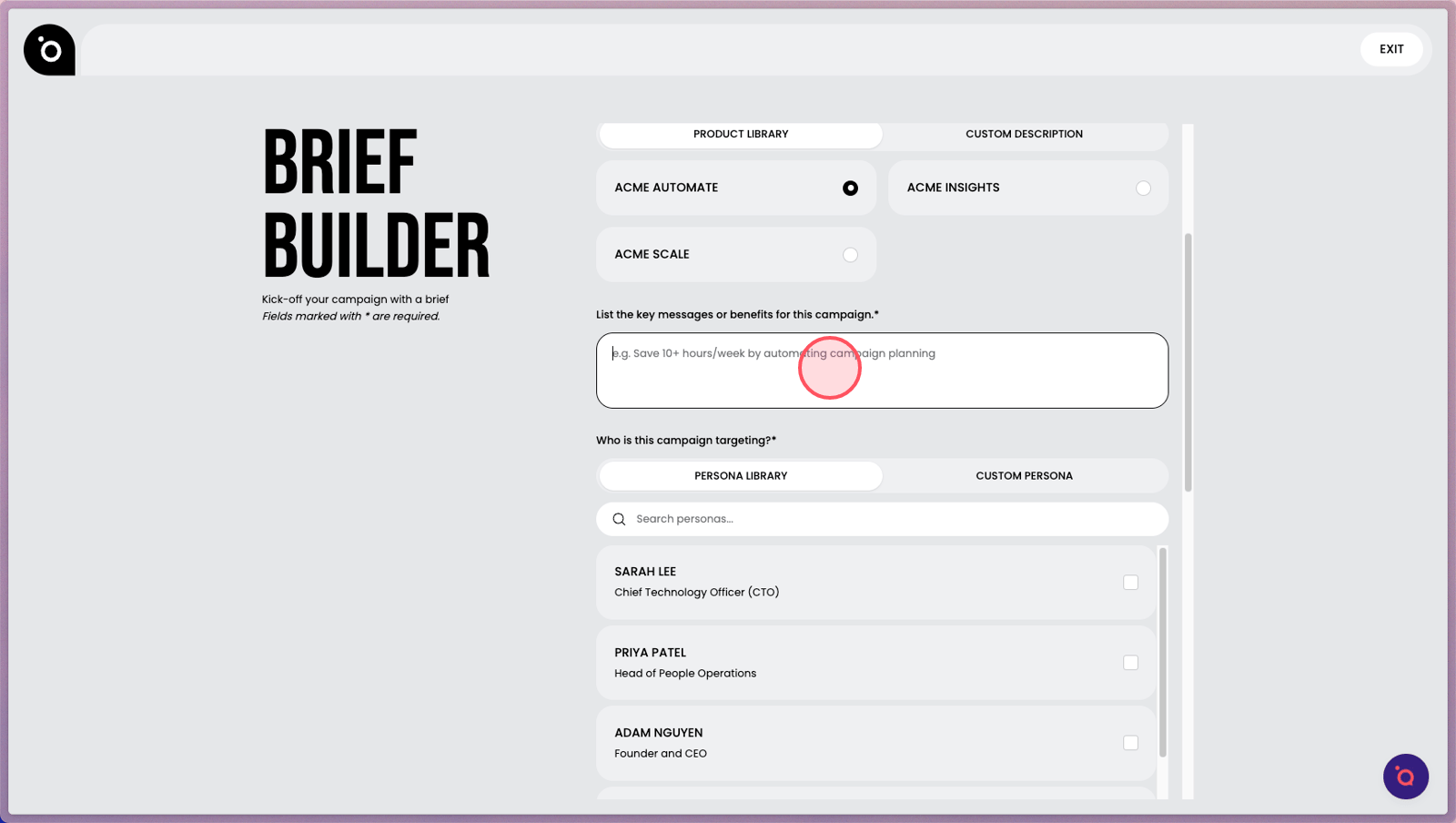
7. Highlight the core messages and value propositions you want to spotlight.
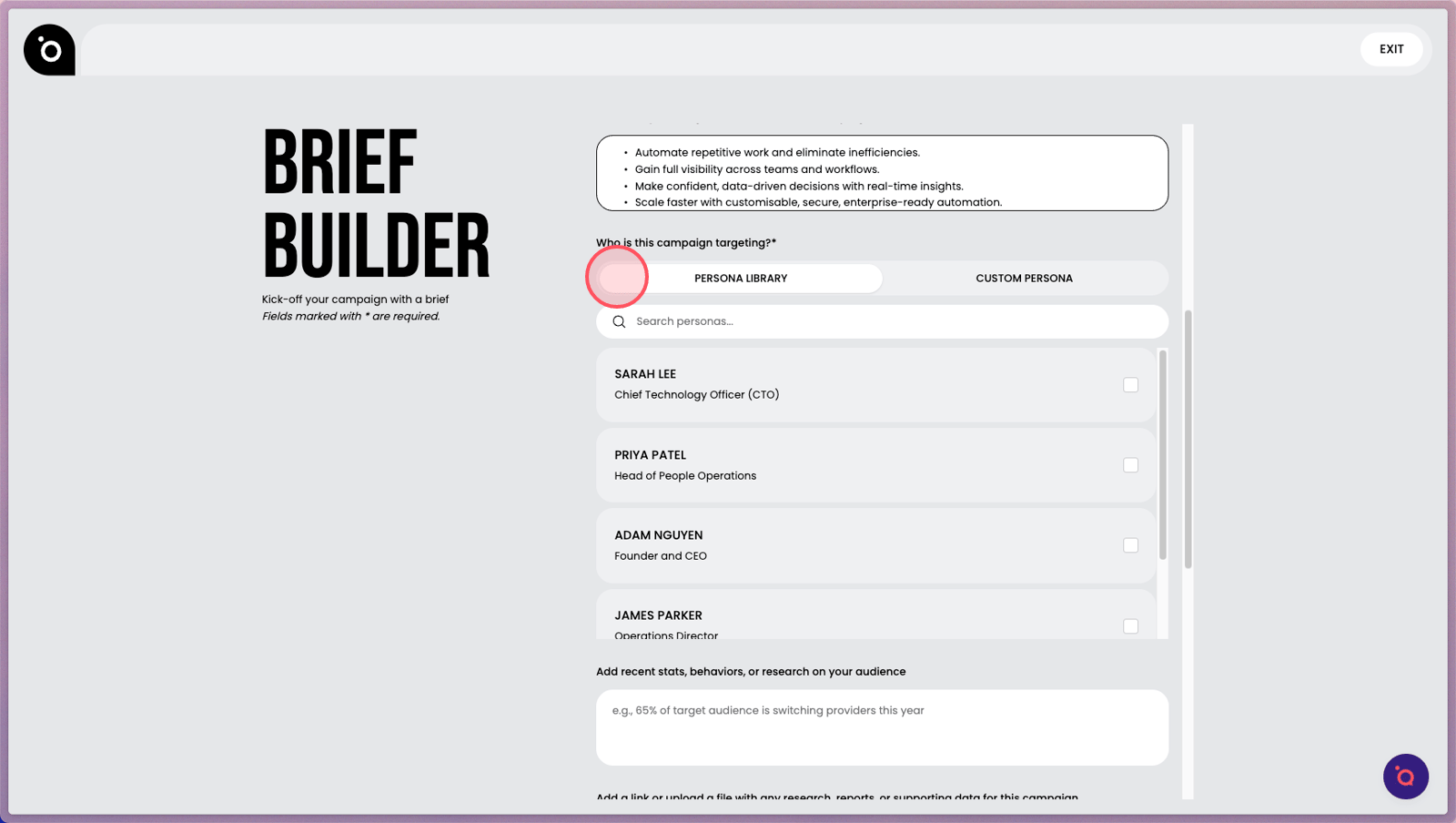
8. Choose your ideal audience persona to align your campaign’s focus and impact. These are extracted from Brand DNA.
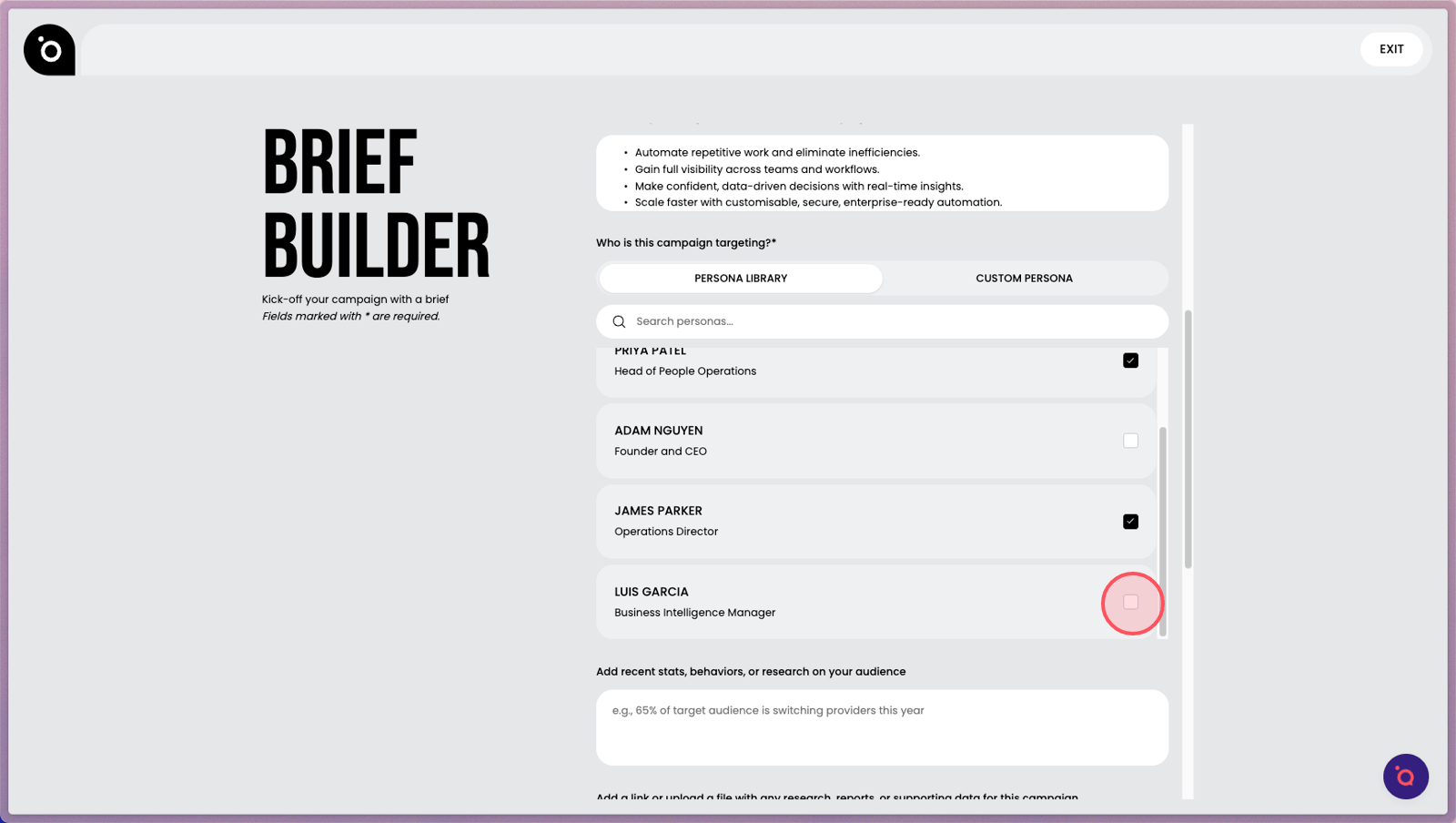
9. You can add multiple personas.
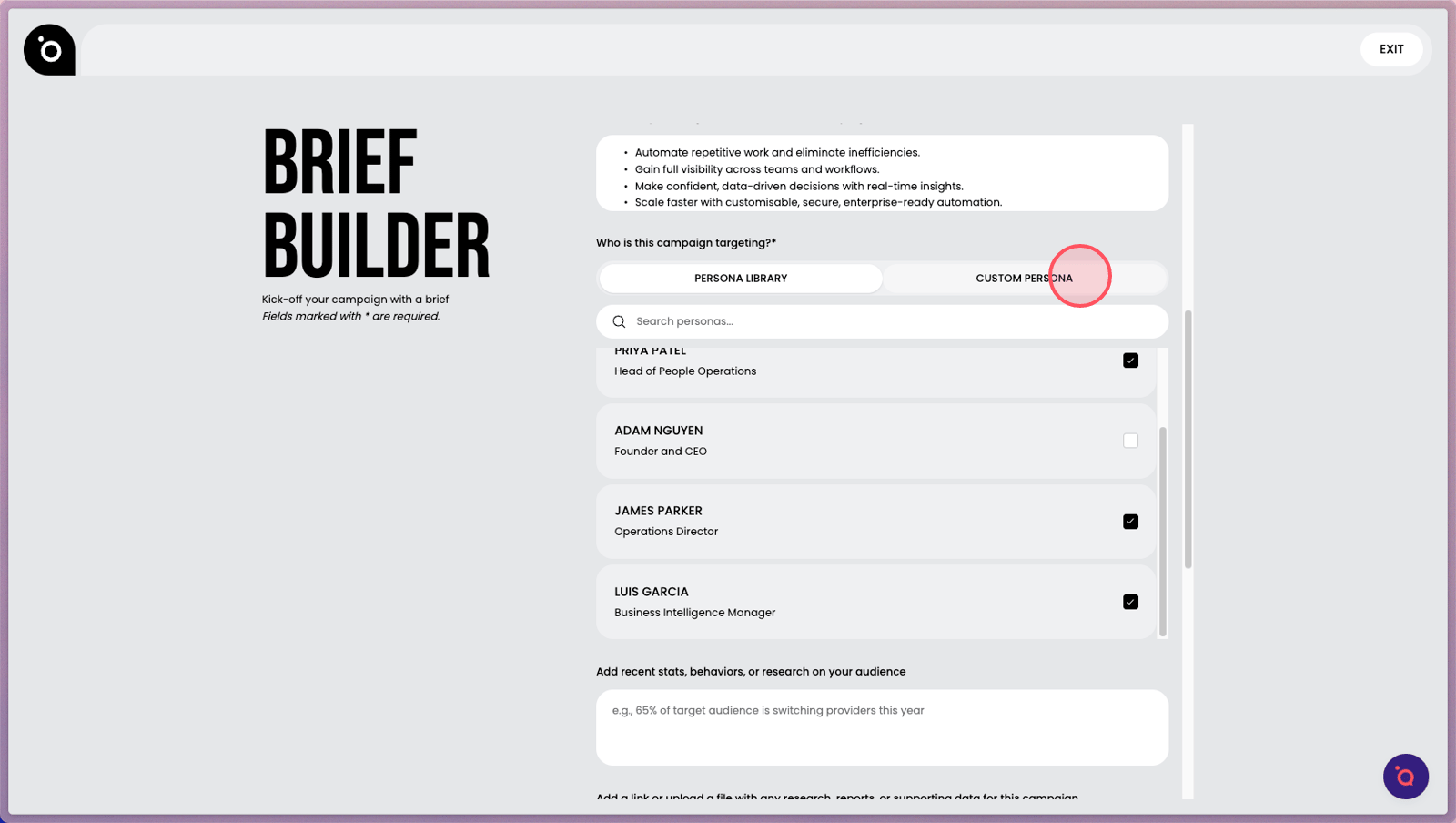
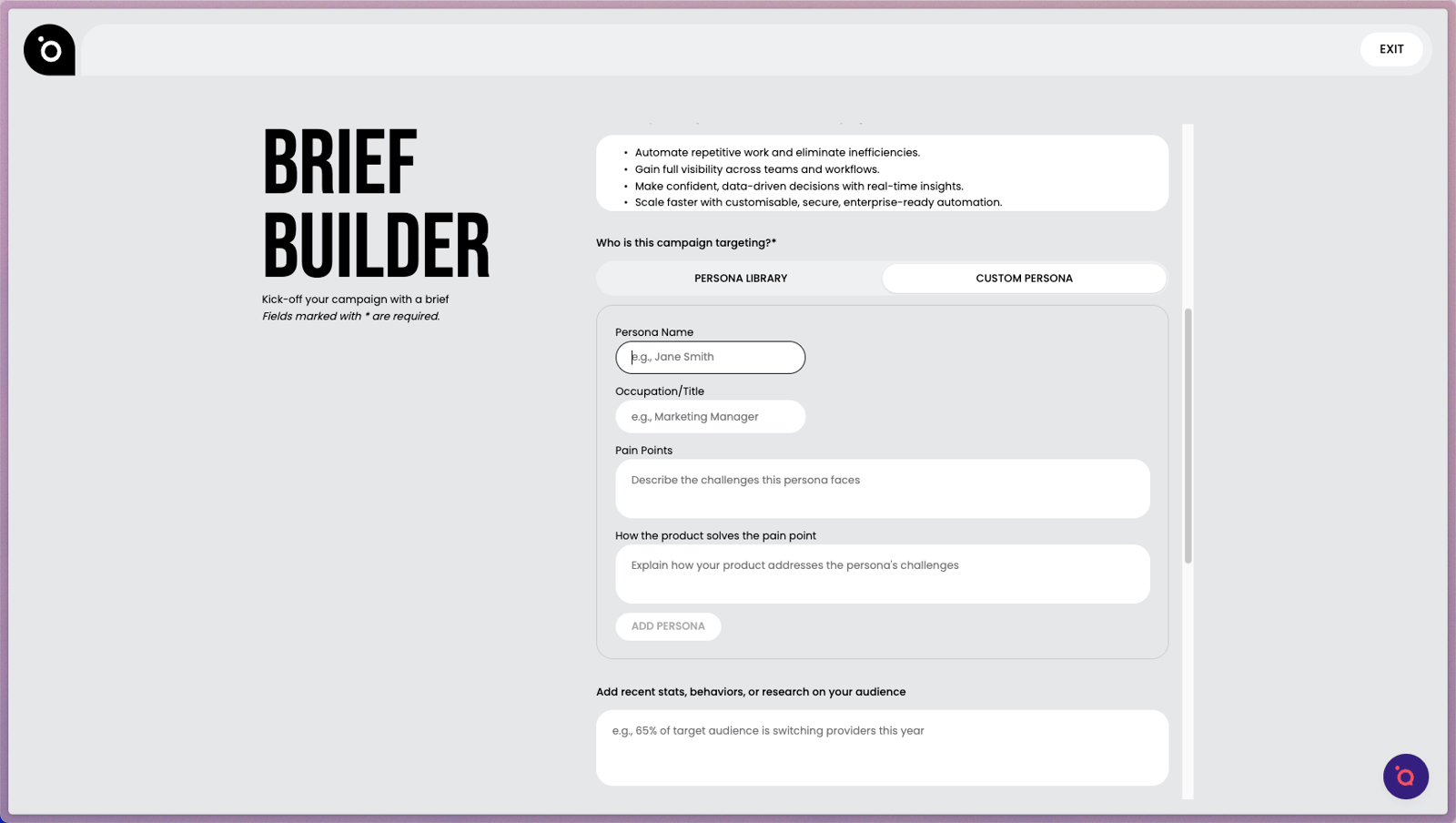
10. Switch to Custom Persona to craft a unique profile if it's not in your library.
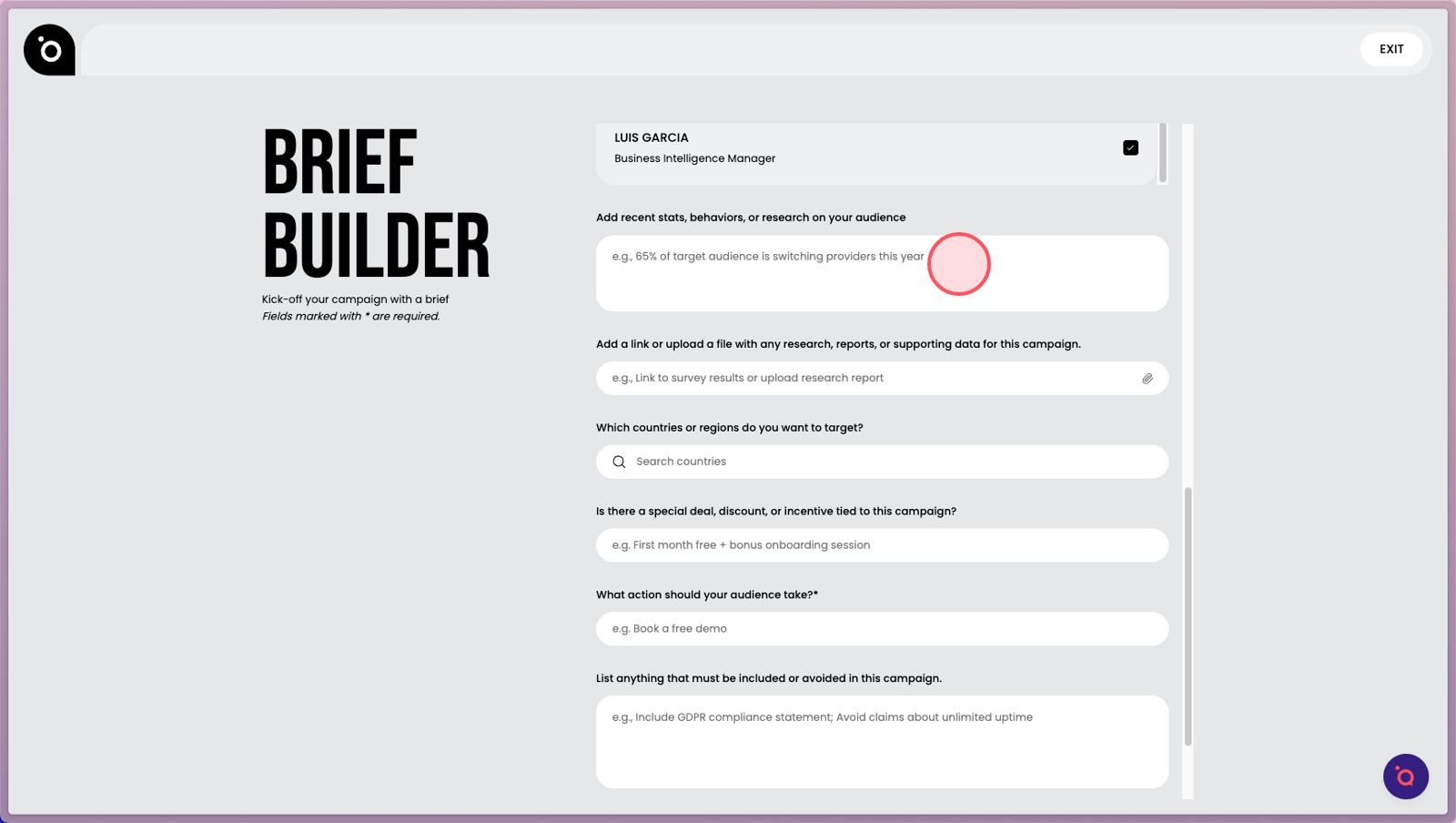
12. Our AI will be familiar with your audience from Brand DNA. If you have new insights, add them here.
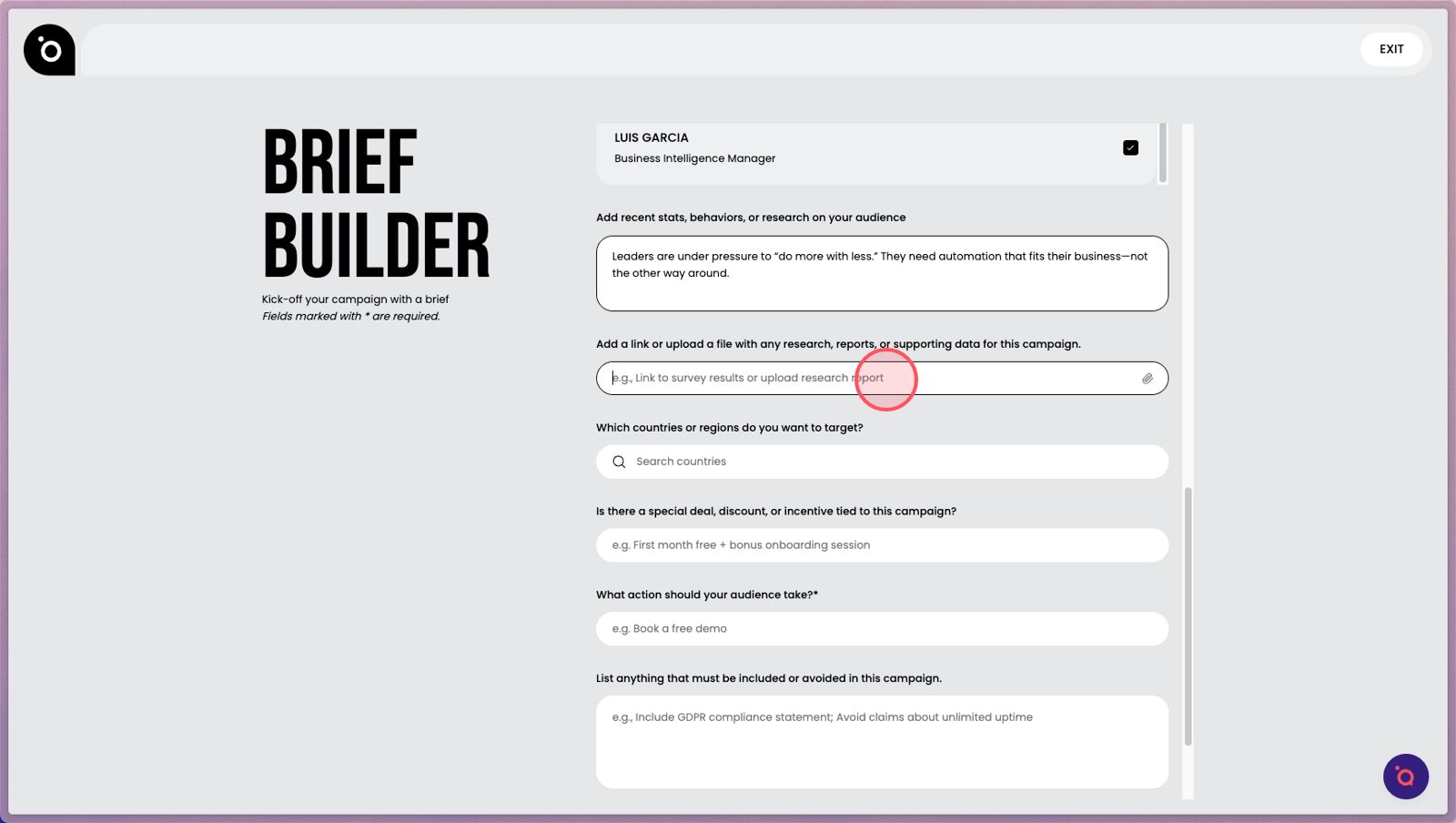
13. Add supporting research or articles here.
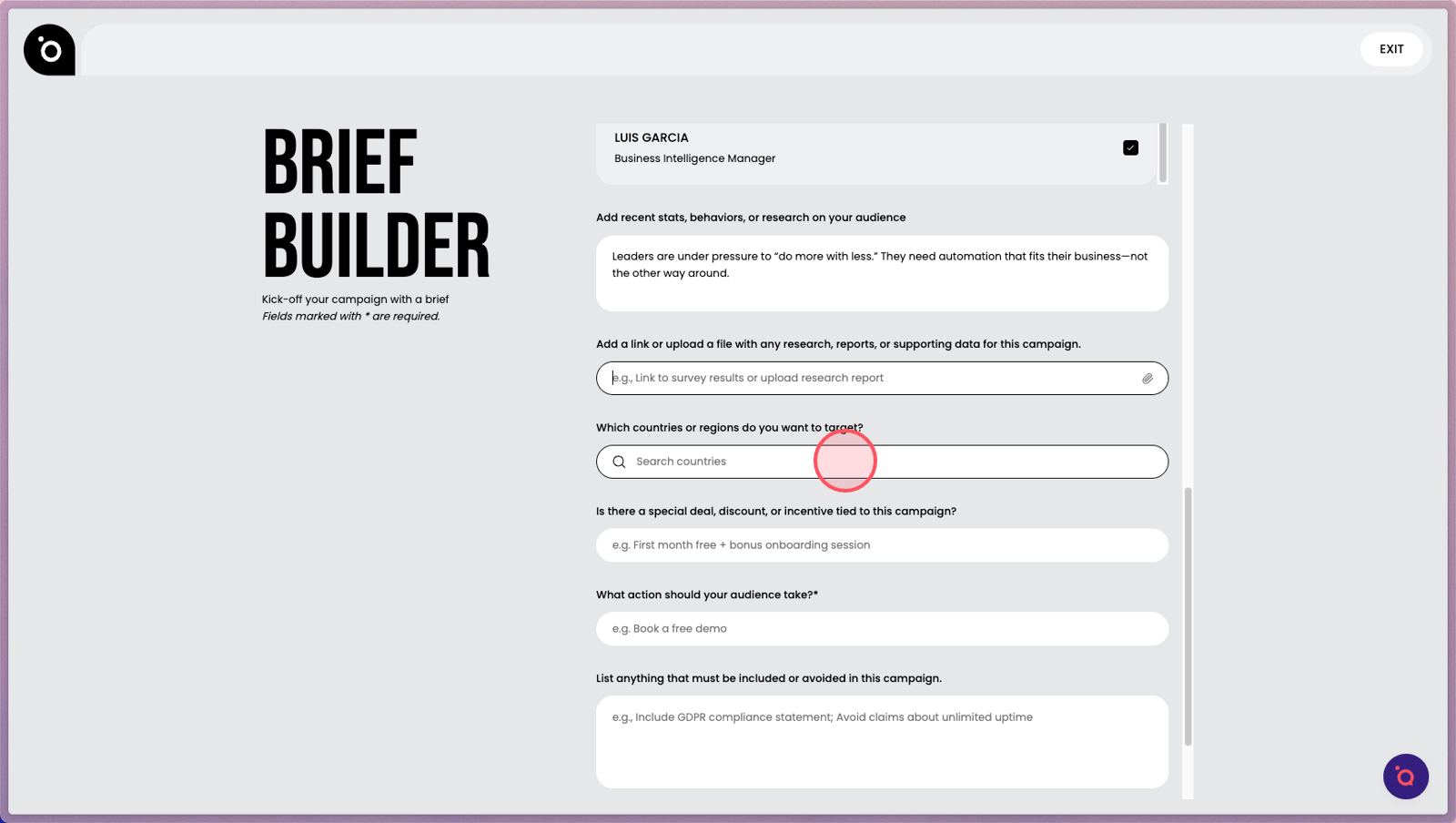
14. Specify your target countries or regions.
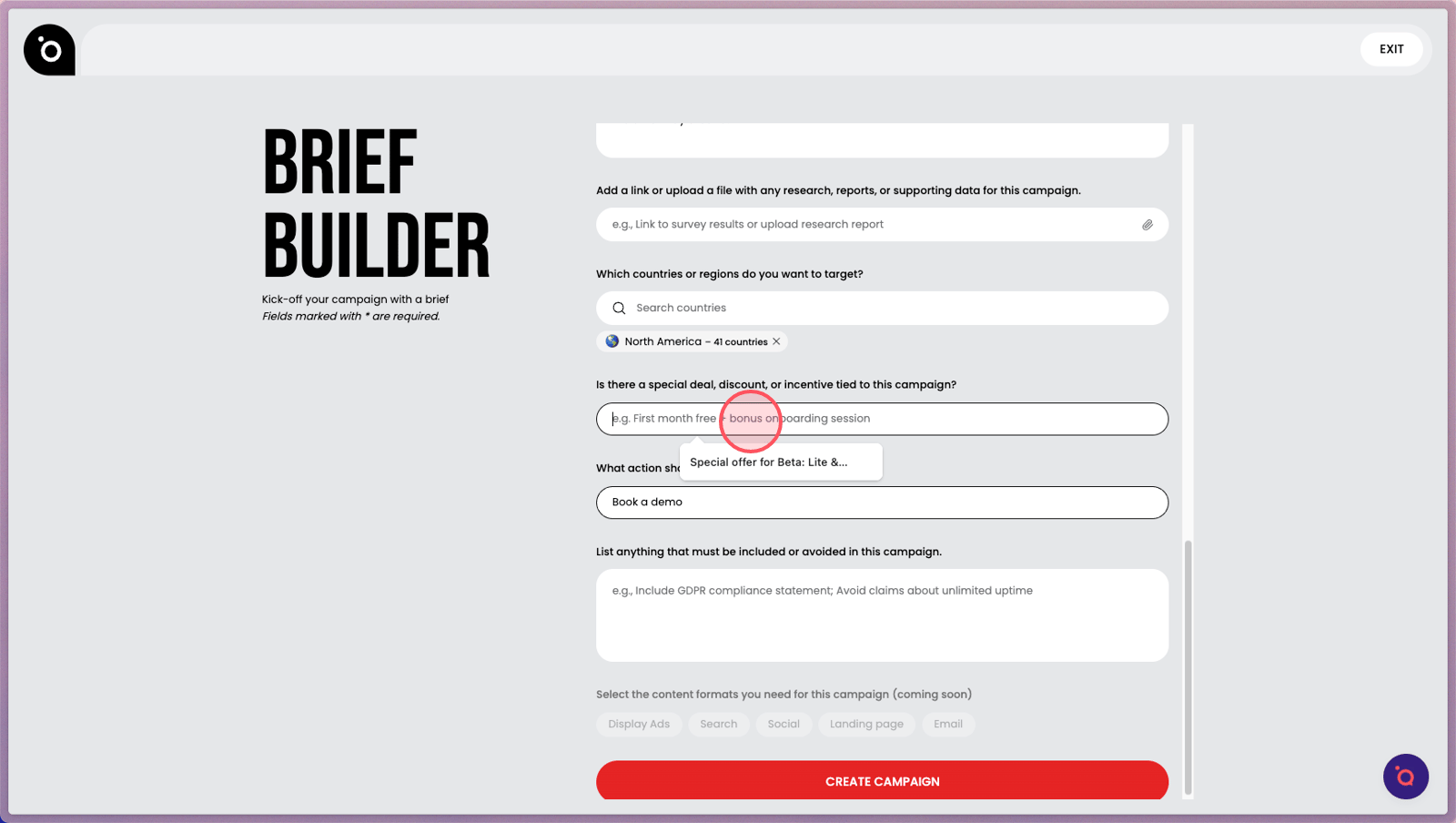
15. Enter a promotional offer or incentive.
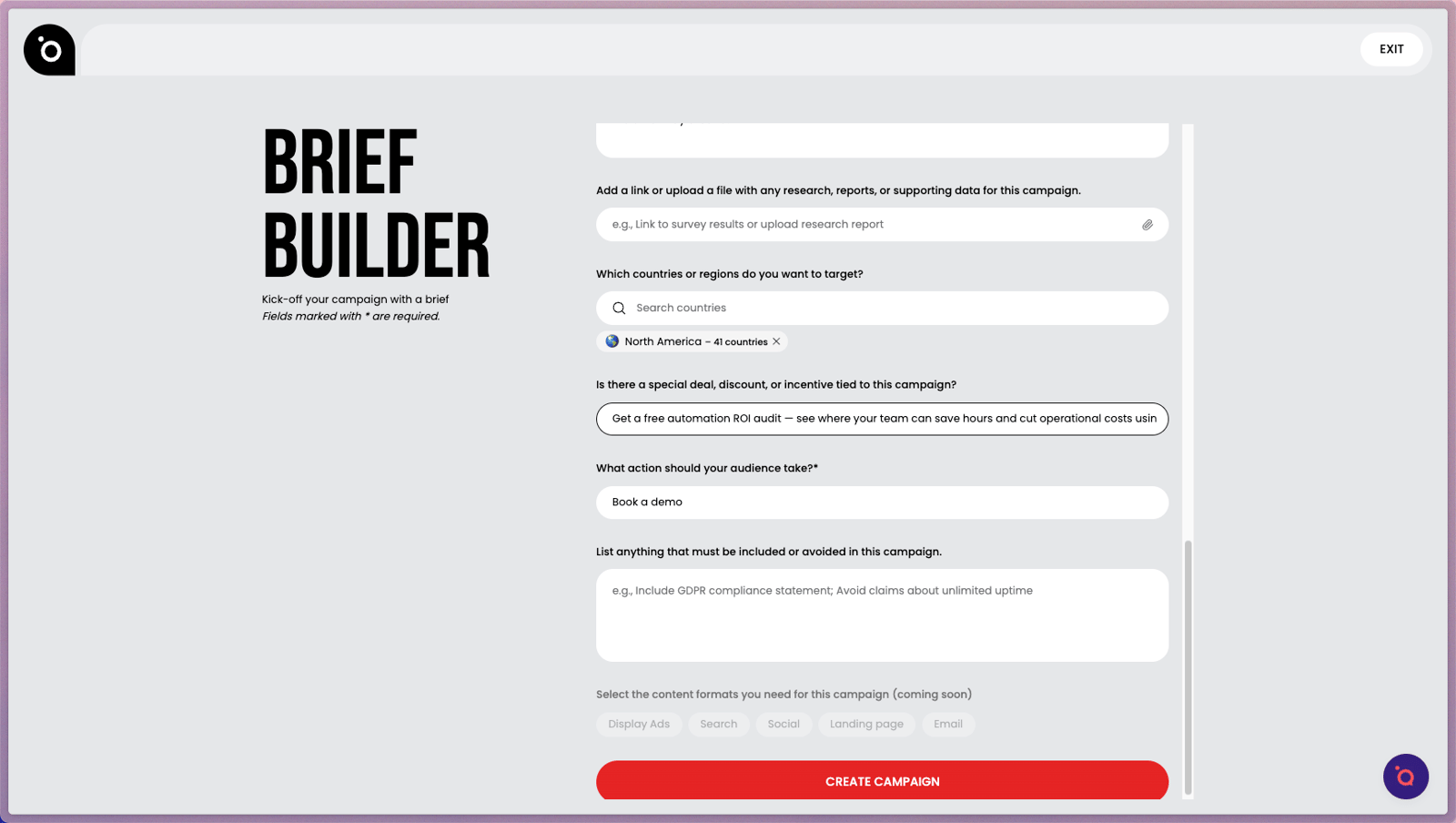
16. Add a specific action you want your audience to take.
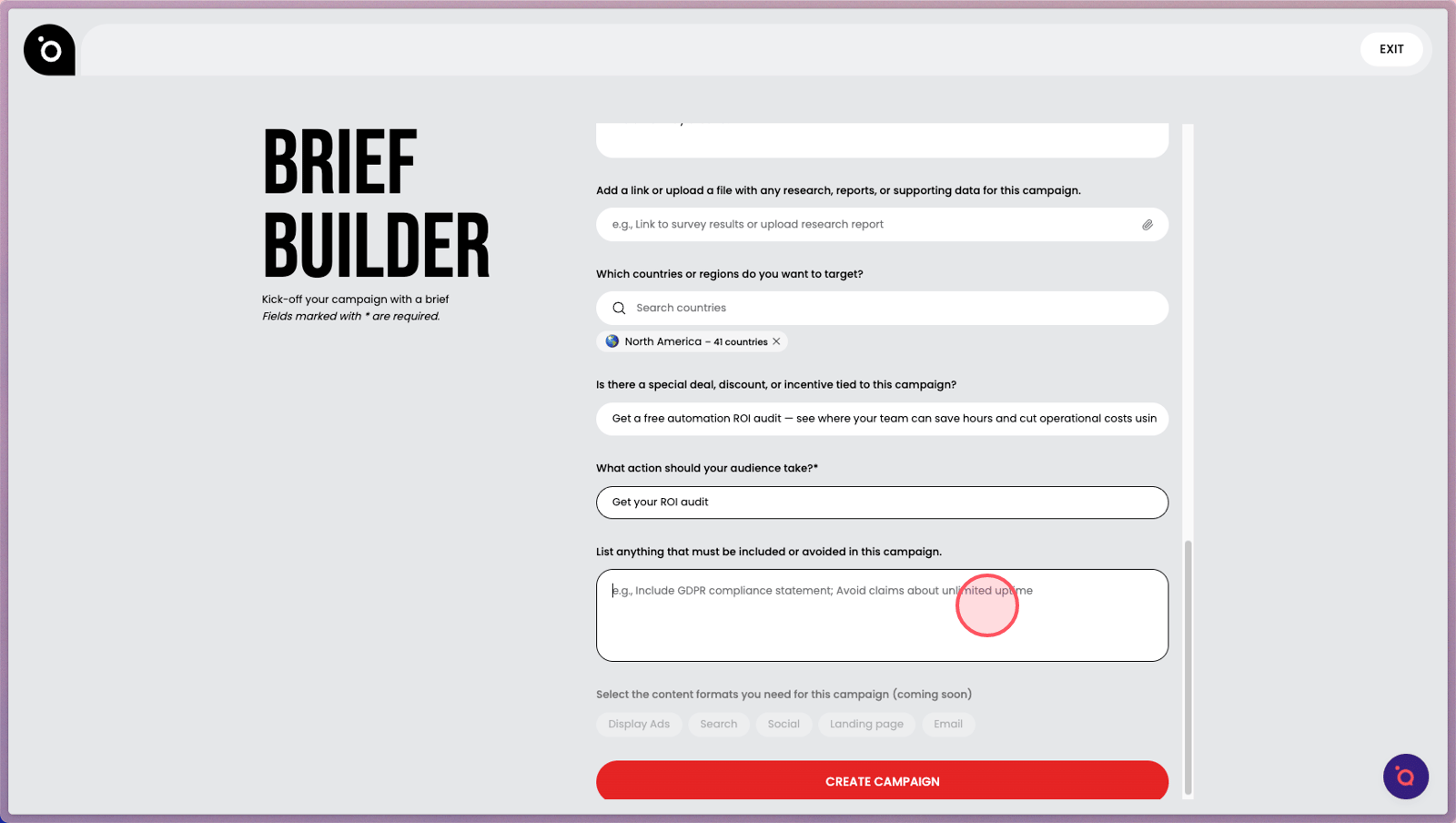
17. List inclusions or restrictions to meet compliance or strategic requirements.
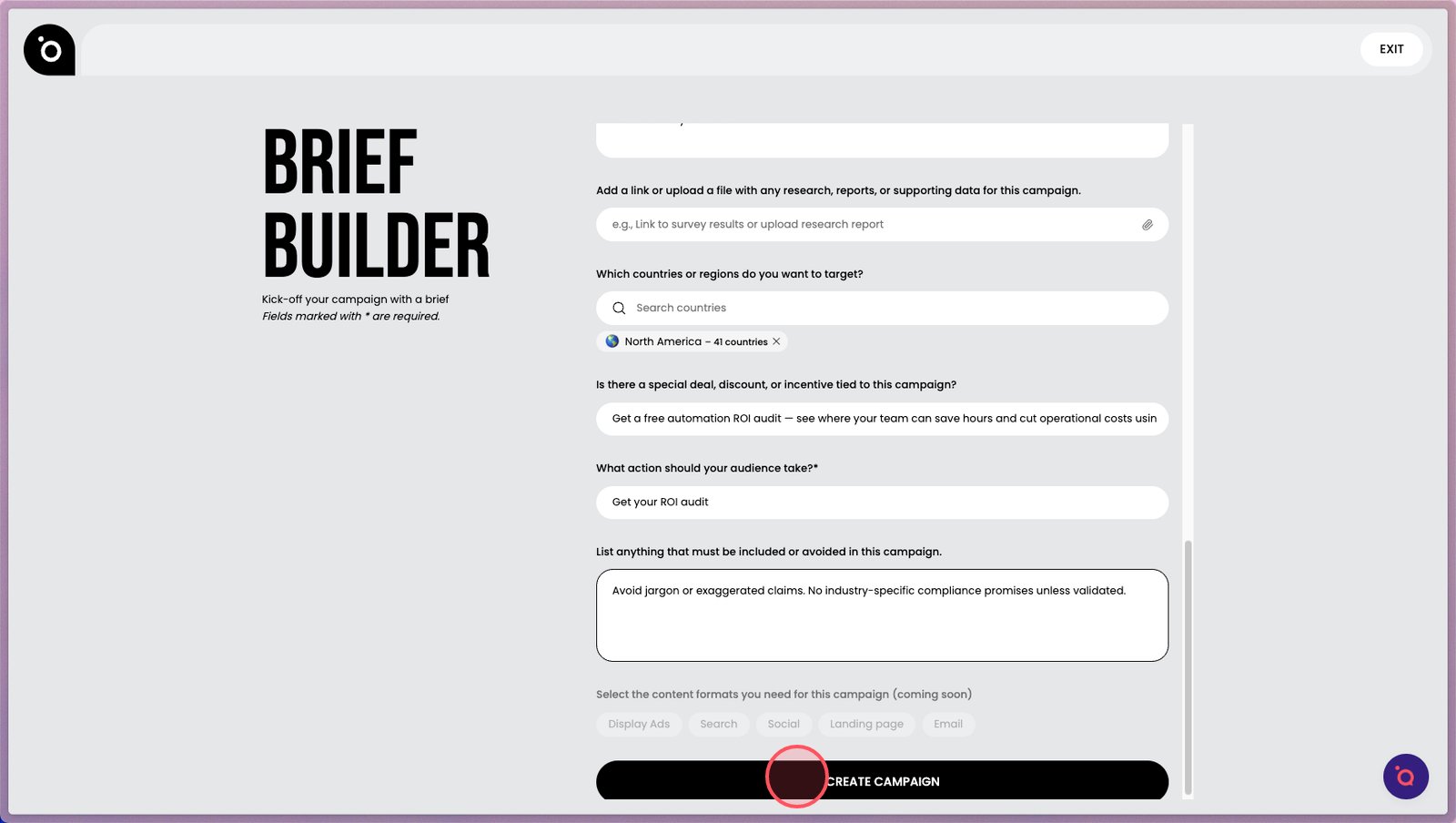
18. Click Create to complete your brief and activate your creative agents.
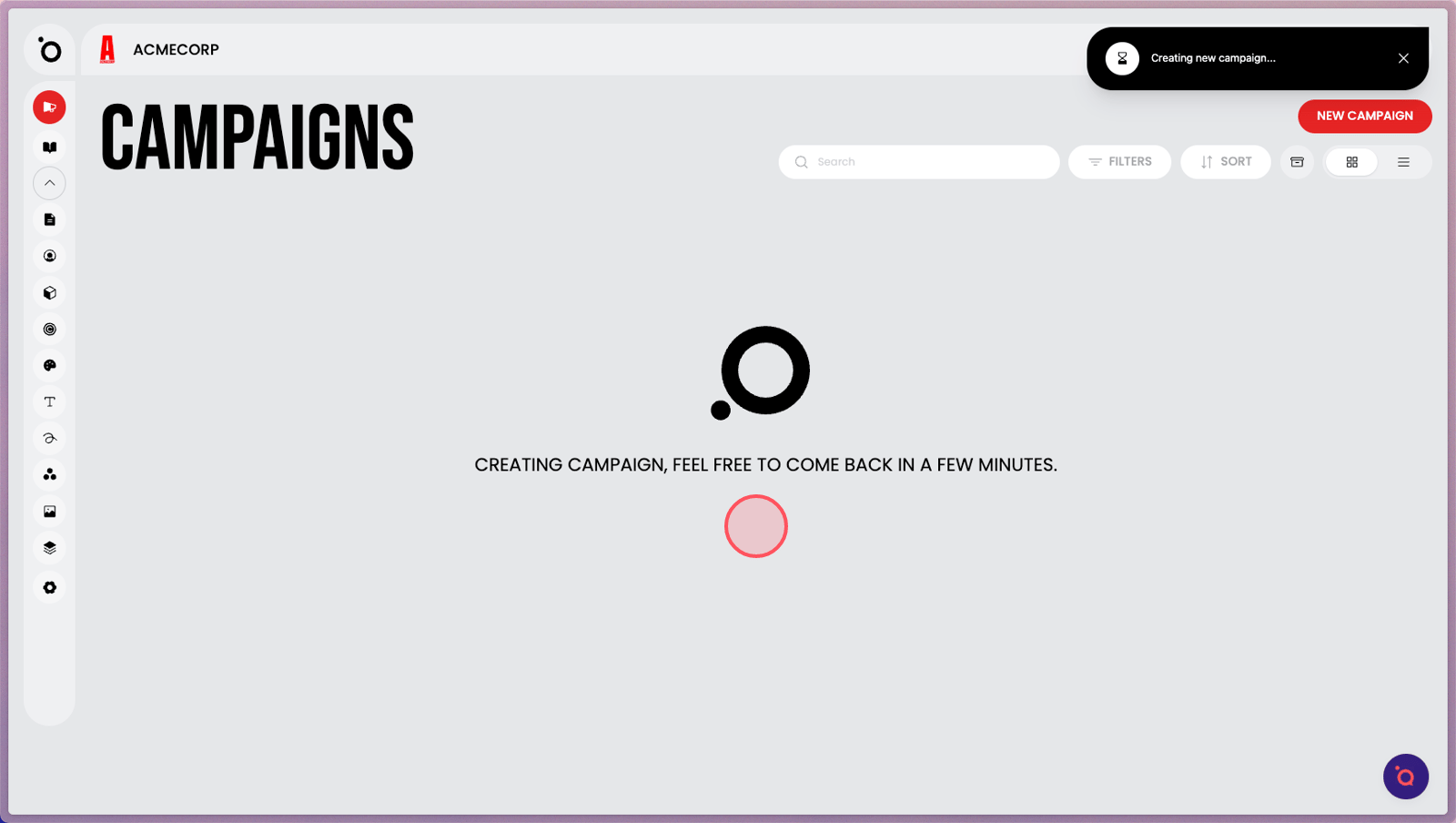
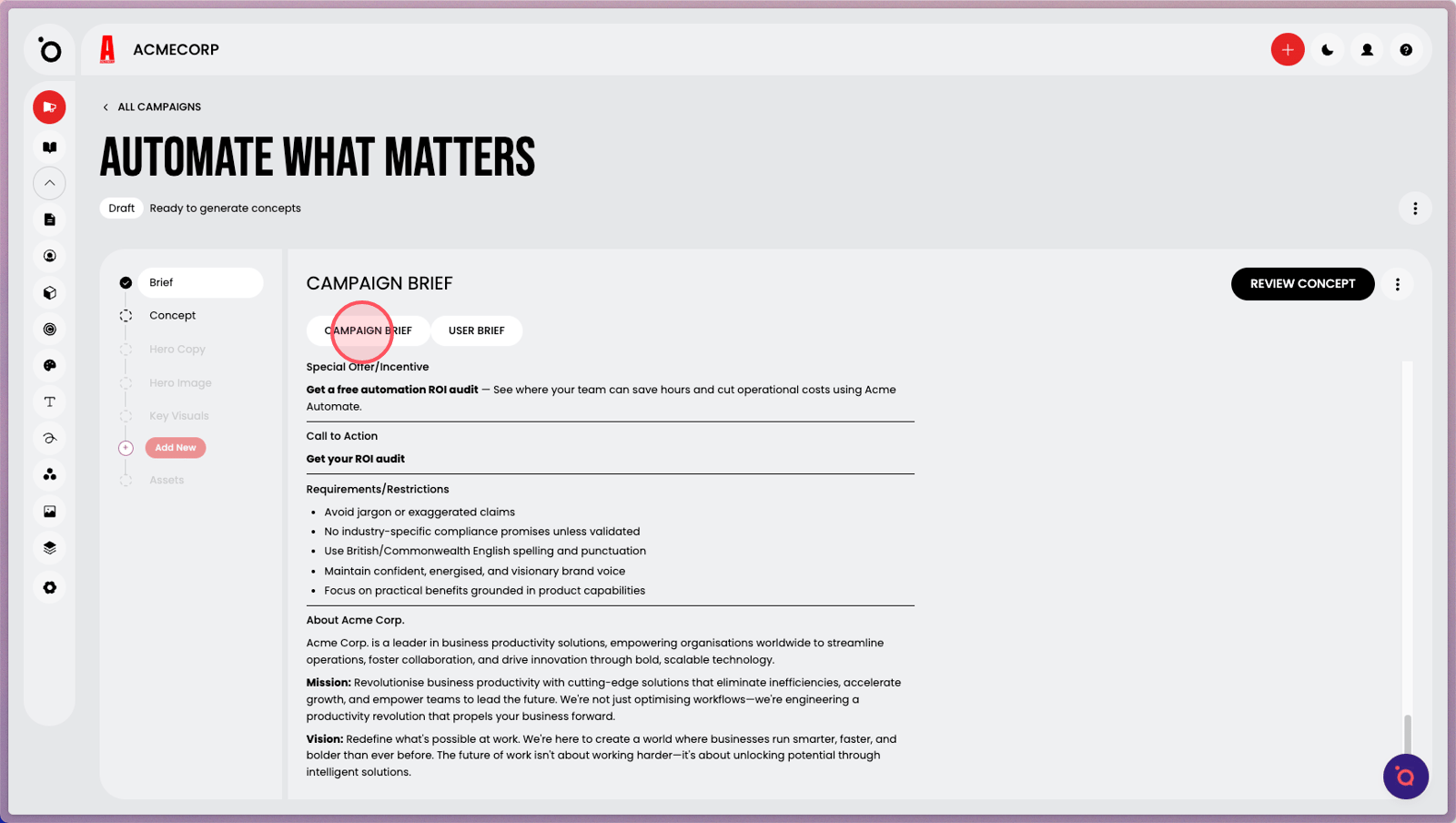
19. The creative agents will compile a detailed campaign brief from your inputs and Brand DNA knowledge. Feel free to explore other areas while you wait.
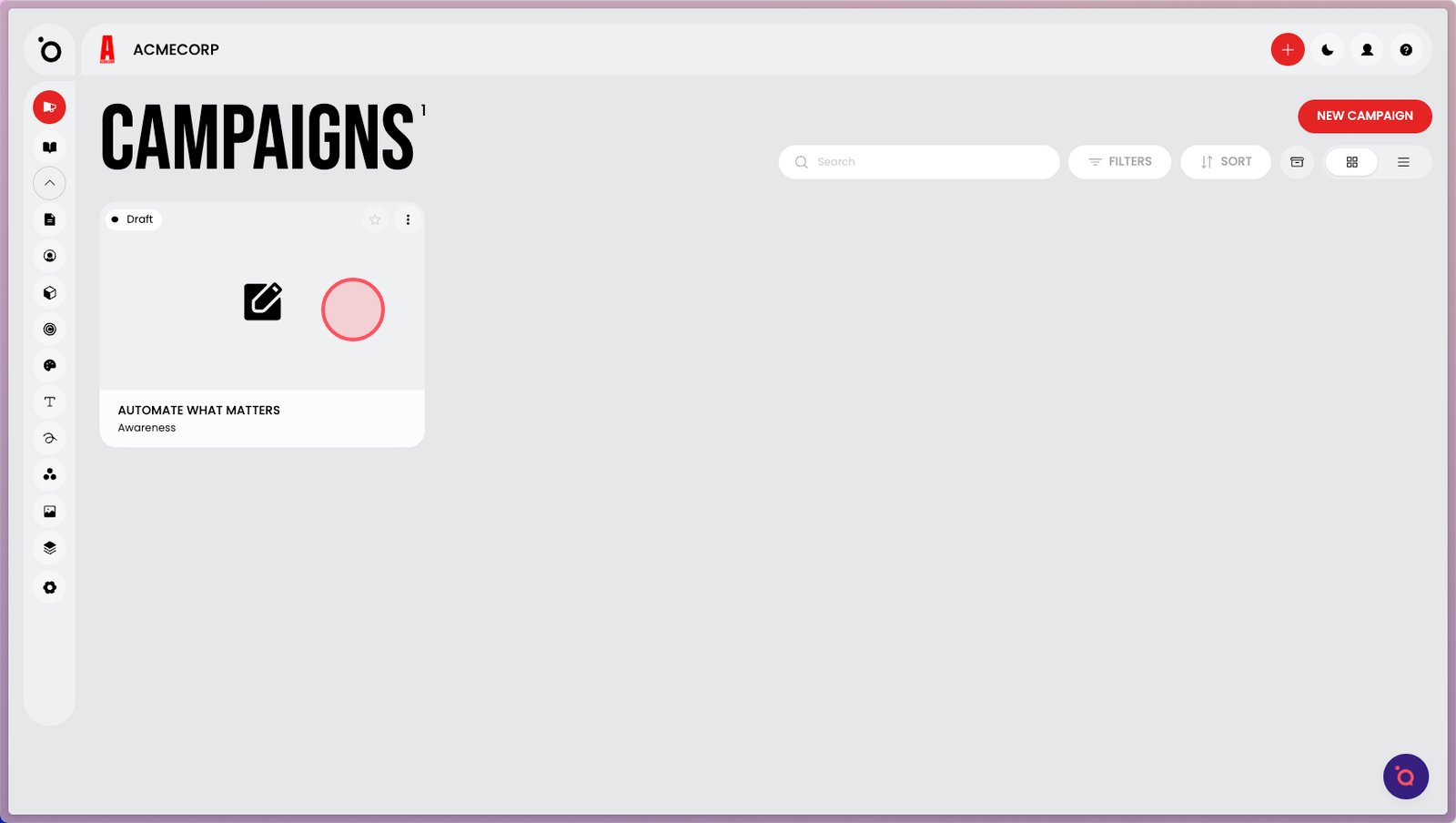
20. When the campaign is successfully created, it will appear here.
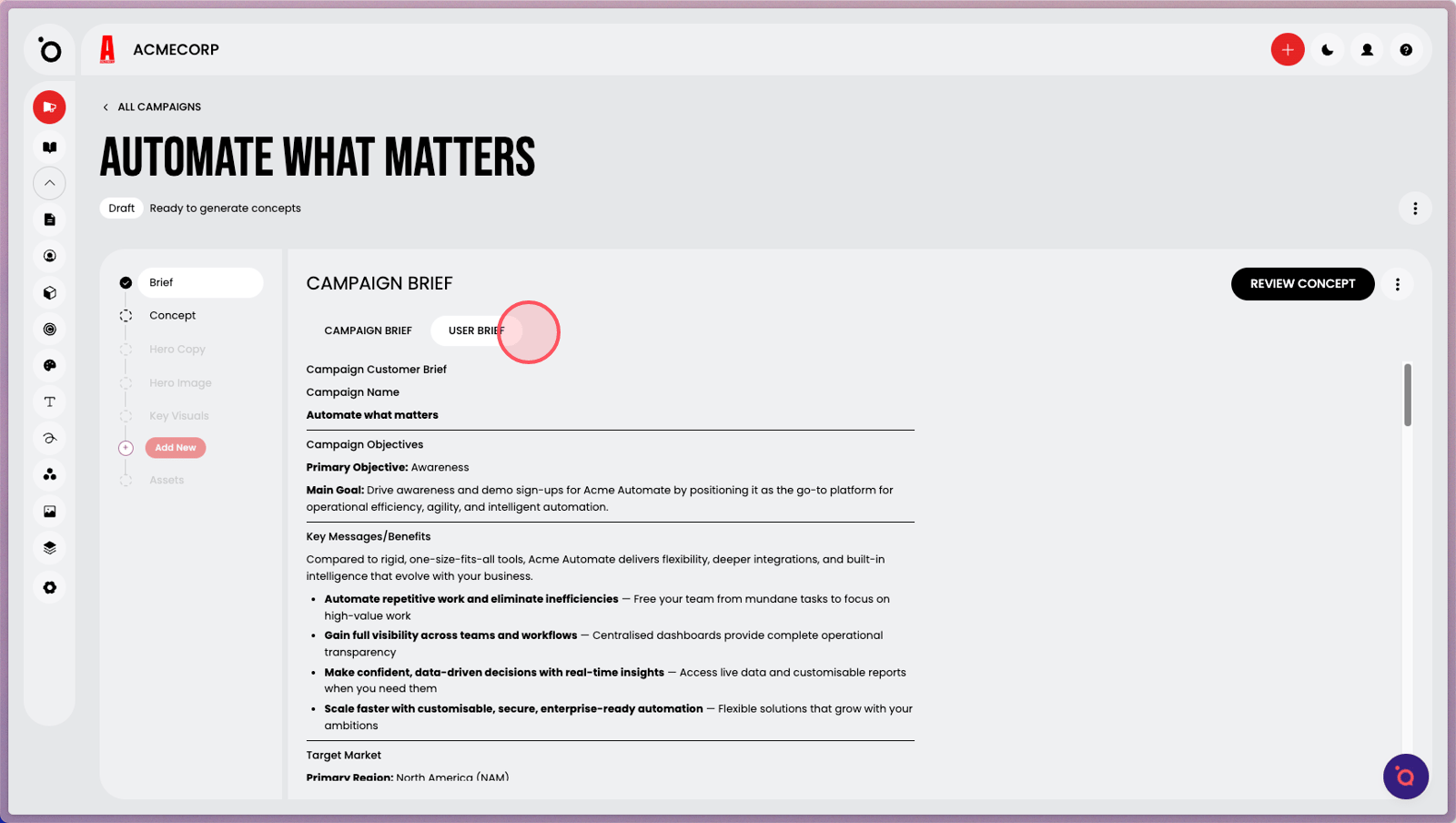
21. Your inputs will be visible in User Brief.