What you'll learn
Add products and services, define benefits, features and use cases for AI‑driven campaigns.
Series
2.14
Section
Brand DNA
Last Updated
Feb 4, 2026 8:55 PM
Status
Live


TL;DR: Upload your product spec PDFs here. Once processed, they’ll be available for use in campaigns.
Your products need a single, reliable source of truth. The Product Specs section is where you upload and manage all of your product documentation — features, benefits, and use cases. Keeping these specs centralised means your campaigns always pull from the latest information, ensuring consistency across every channel.
Anything uploaded here becomes instantly available across Protaigé, powering campaign copy, layouts, and creative concepts with accurate product details.
🚨 You need at least one product to generate a campaign.
Don’t have any product sheets handy? Use our Product Helix AI to generate some from your website.
A step-by-step guide
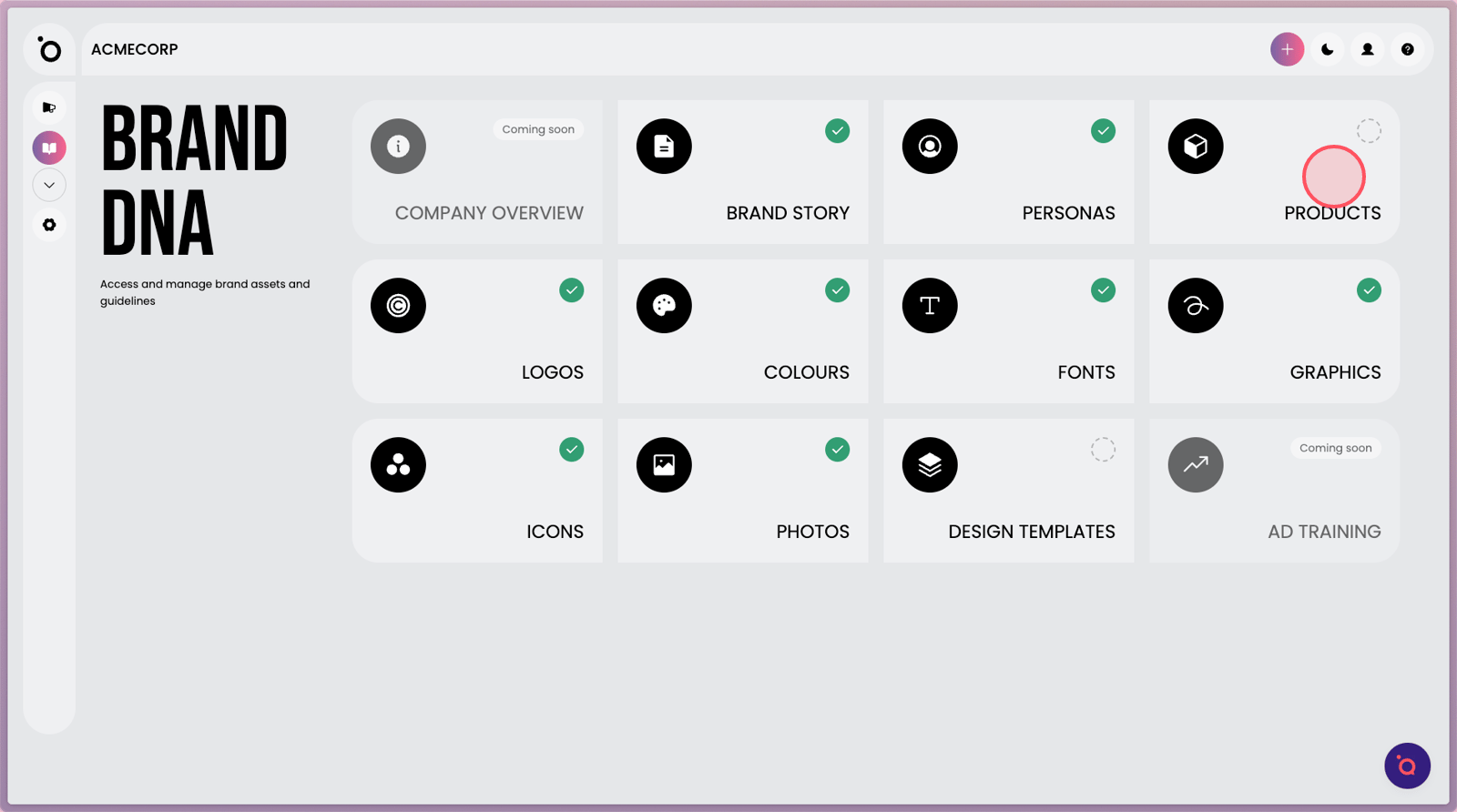
1. To manage your product assets, first select the PRODUCTS section.
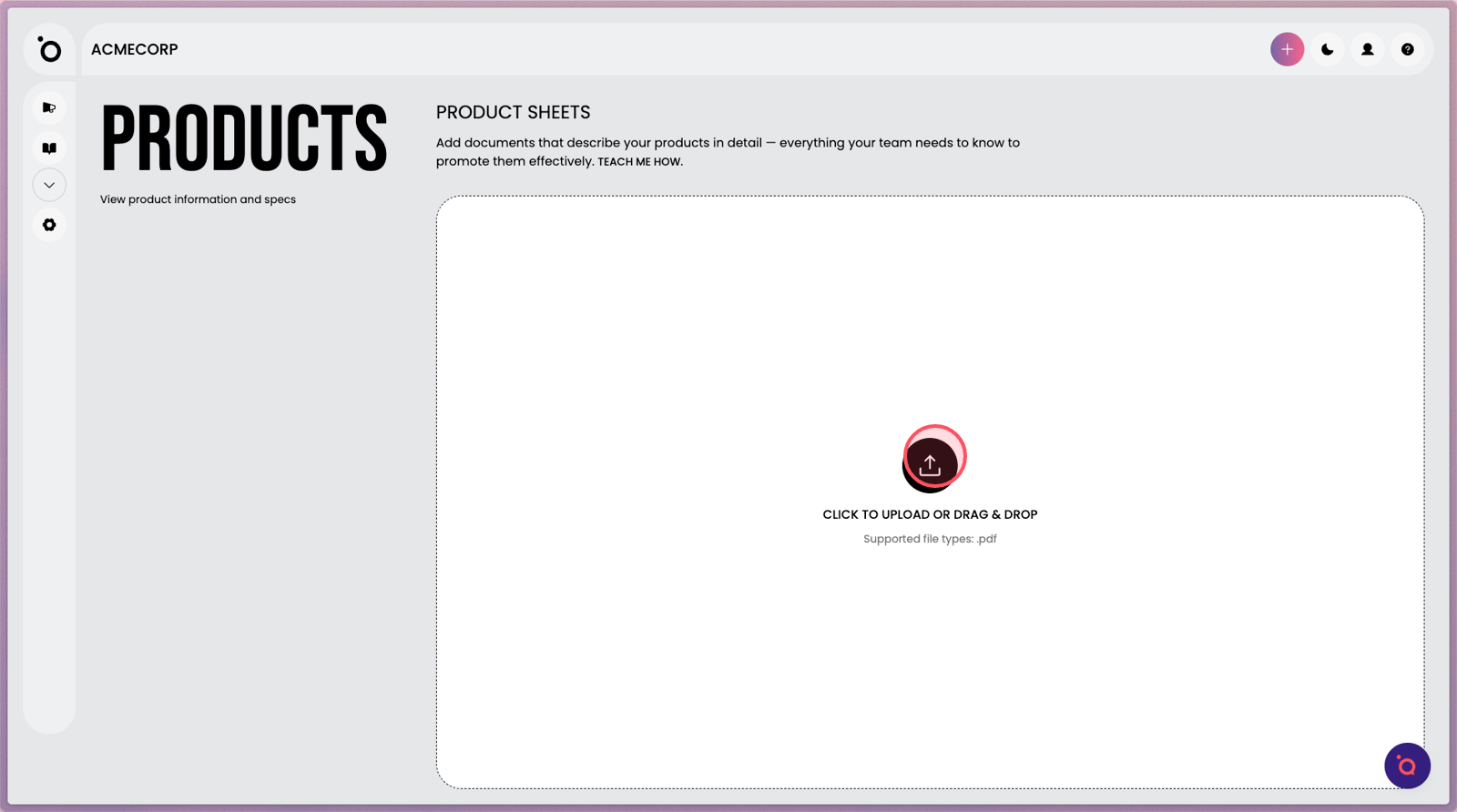
2. Click the upload icon to start adding a new product sheet.
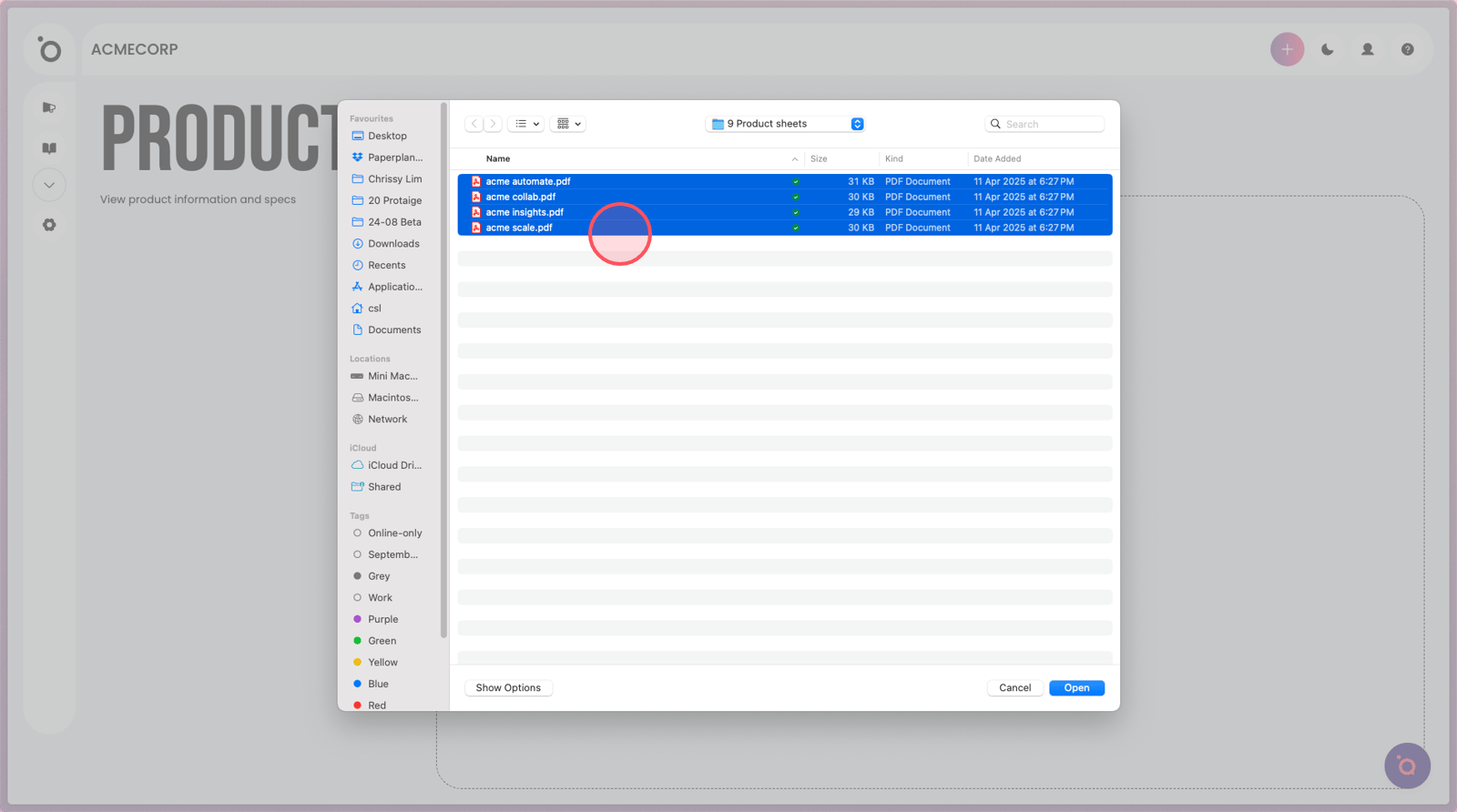
3. Select your product PDFs to upload in one go.
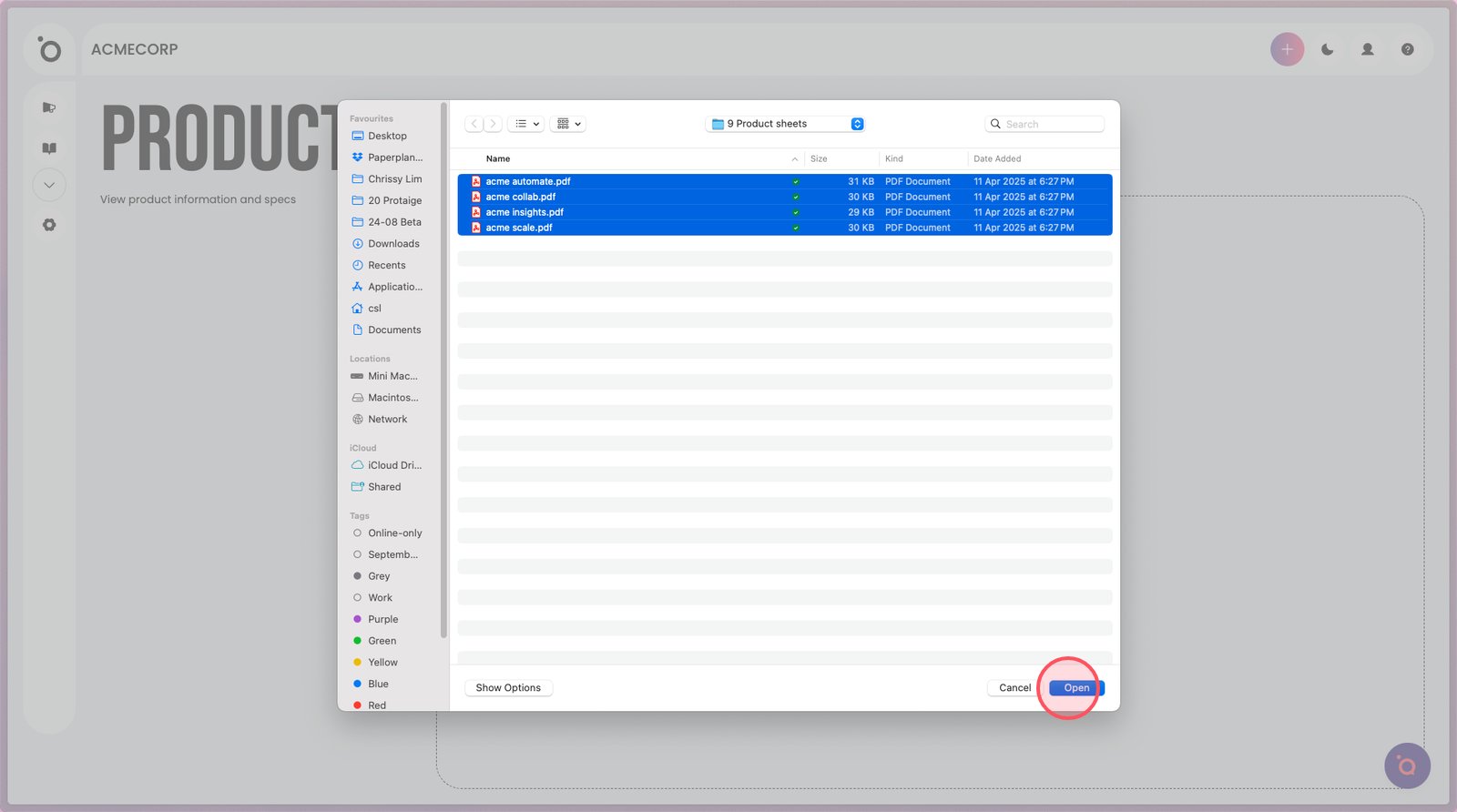
4. Click Open to begin the upload process.
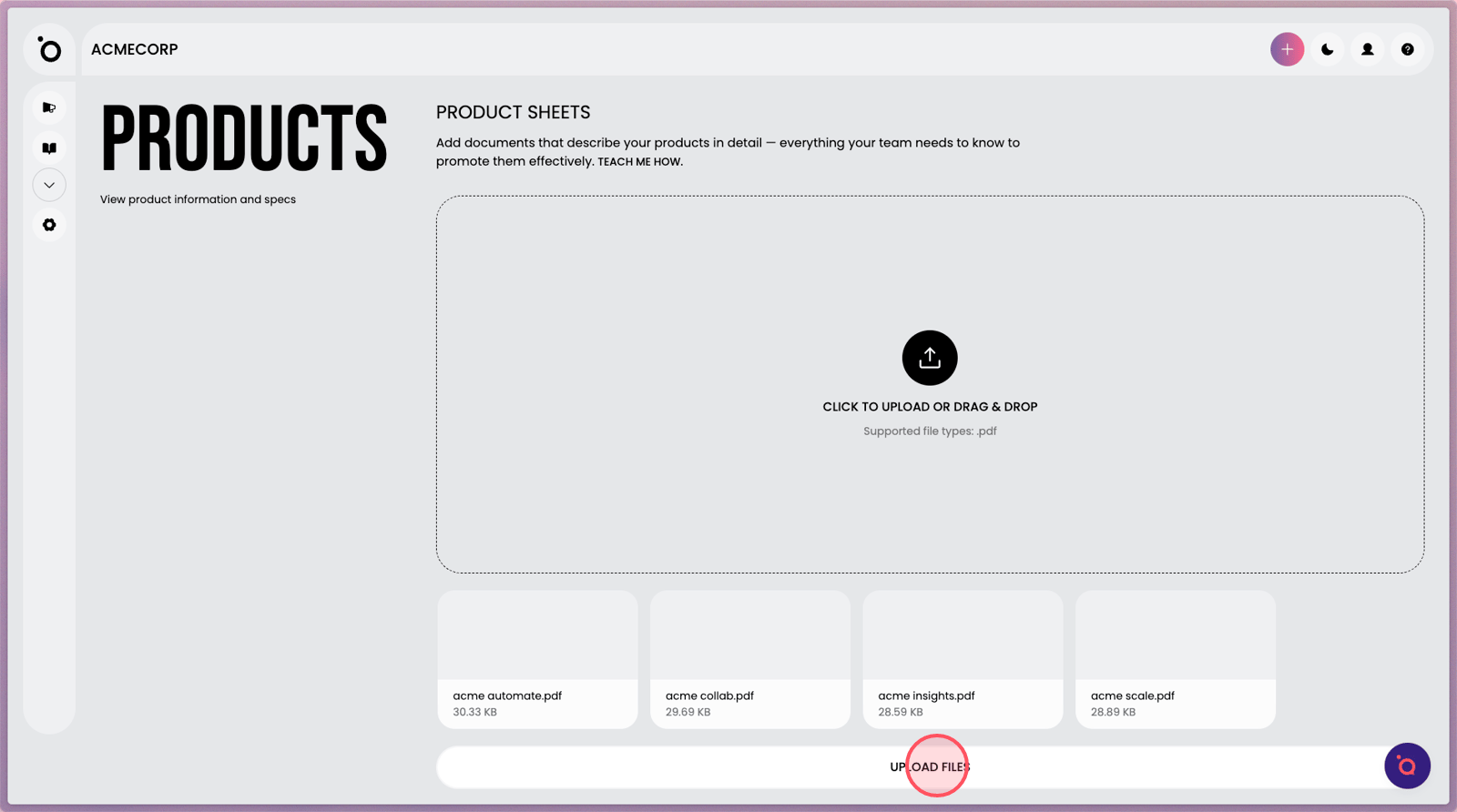
5. Confirm your file selection, then select Upload to initiate AI ingestion. Our advanced system will interpret and analyse each PDF, which may take a few moments.
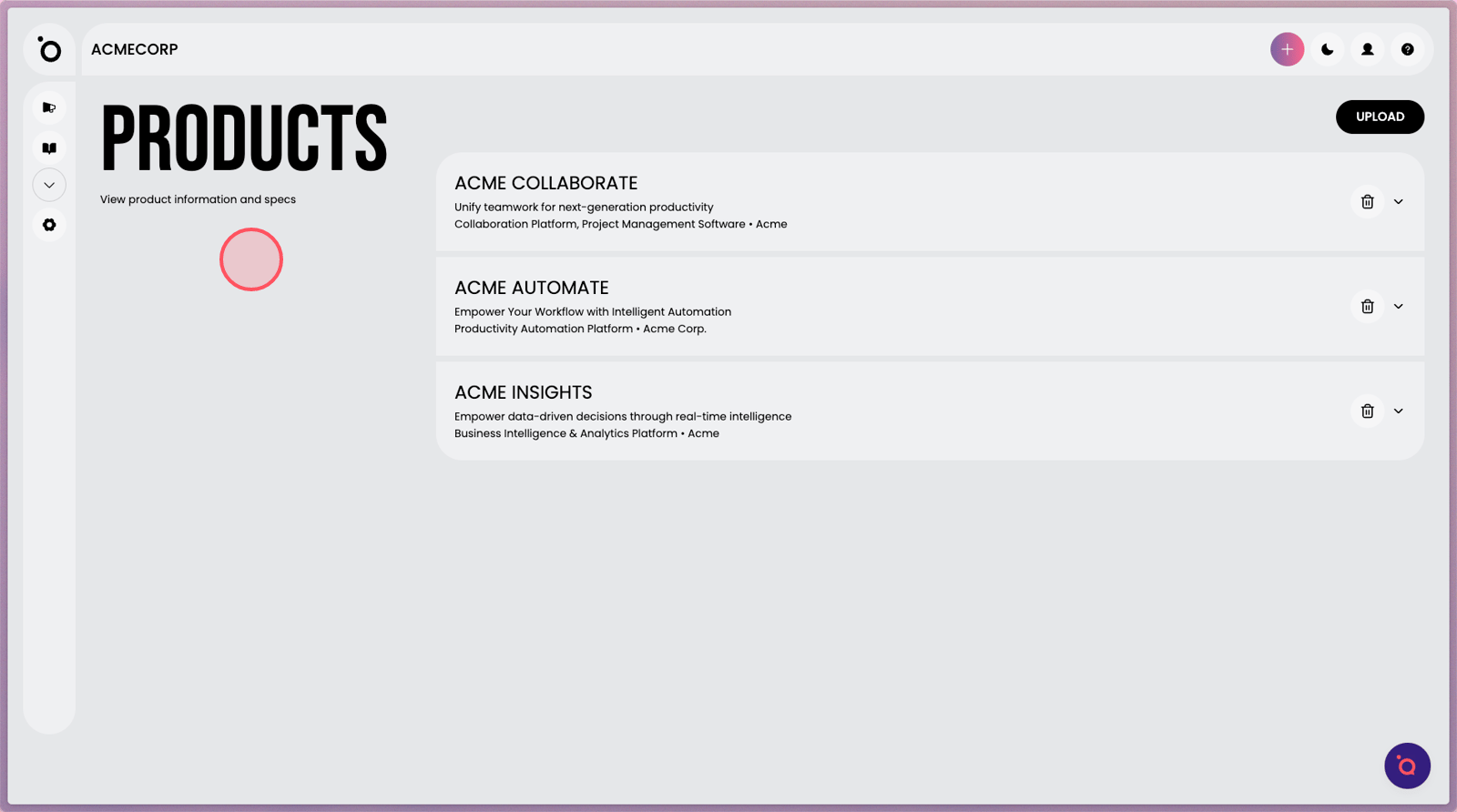
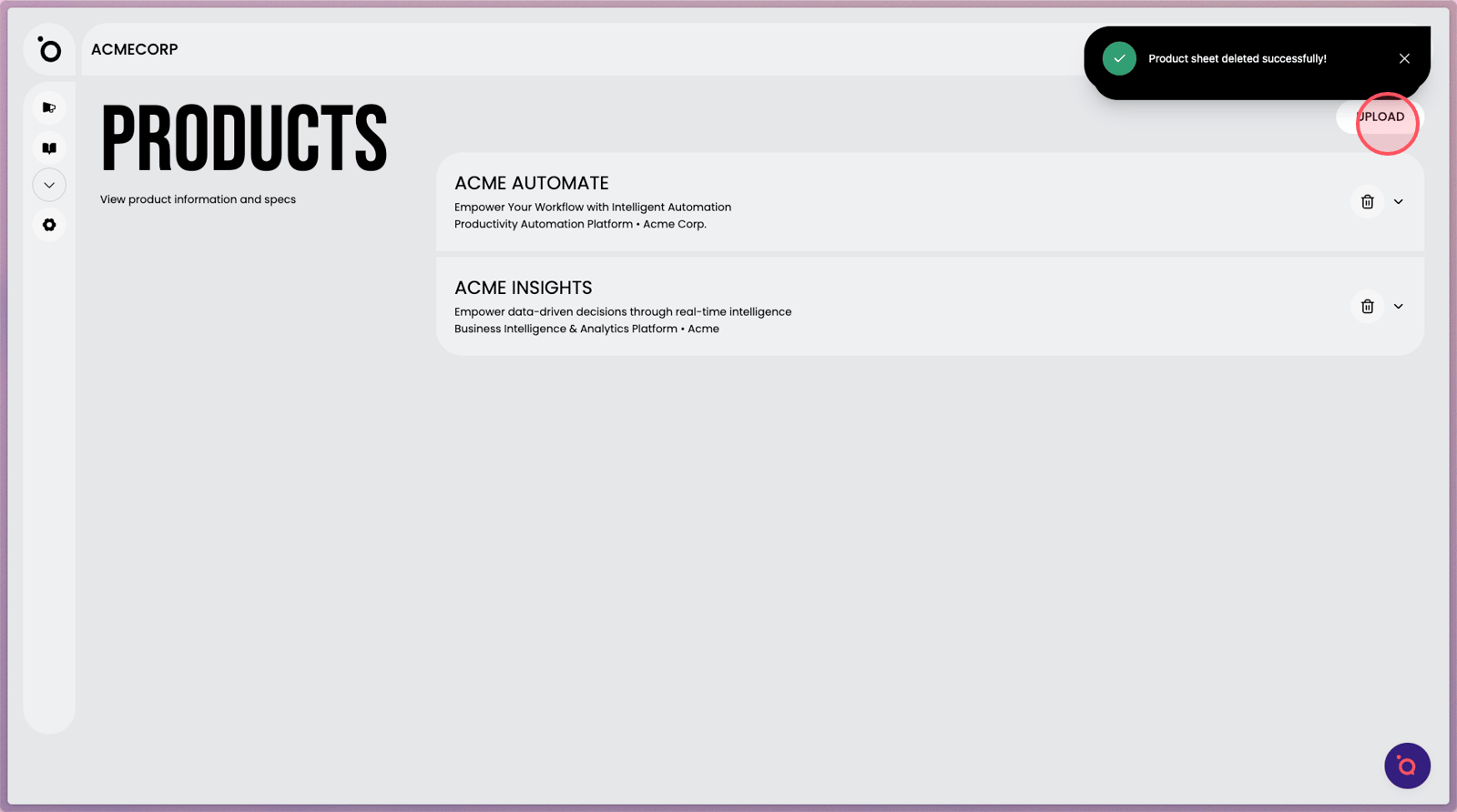
6. Once processed, your product sheets will be displayed right here. If you don’t see them, simply refresh the browser to update the view.

7. Click the expand arrow to view your full product specifications.
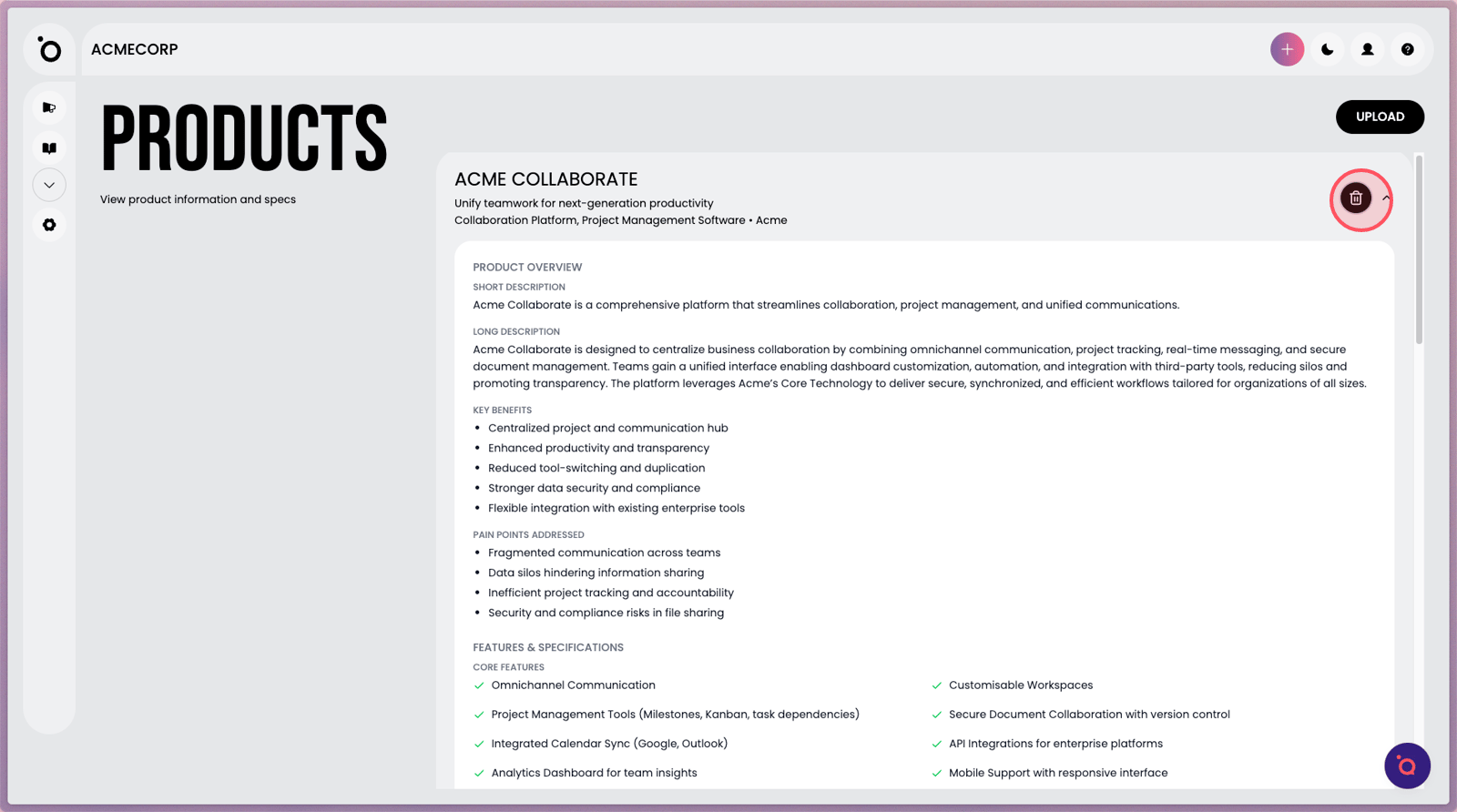
8. Click the Delete icon to remove a product entry if it's no longer needed.